Code-Editor
📘 Developer Guide
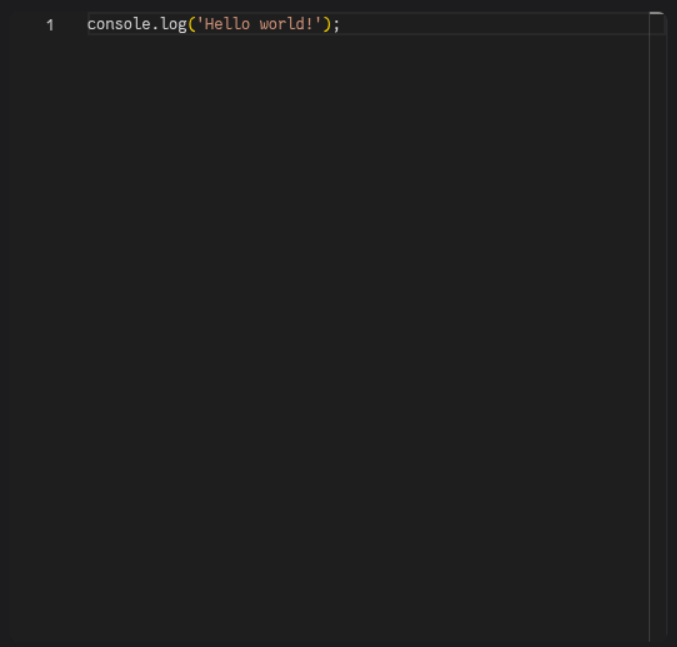
With the Code-Editor Brick, you can add an IDE with Intellisense and several other Features, depending on the chosen language.
🔁 Example
Designer

Runtime
⚙️ Configuration Properties
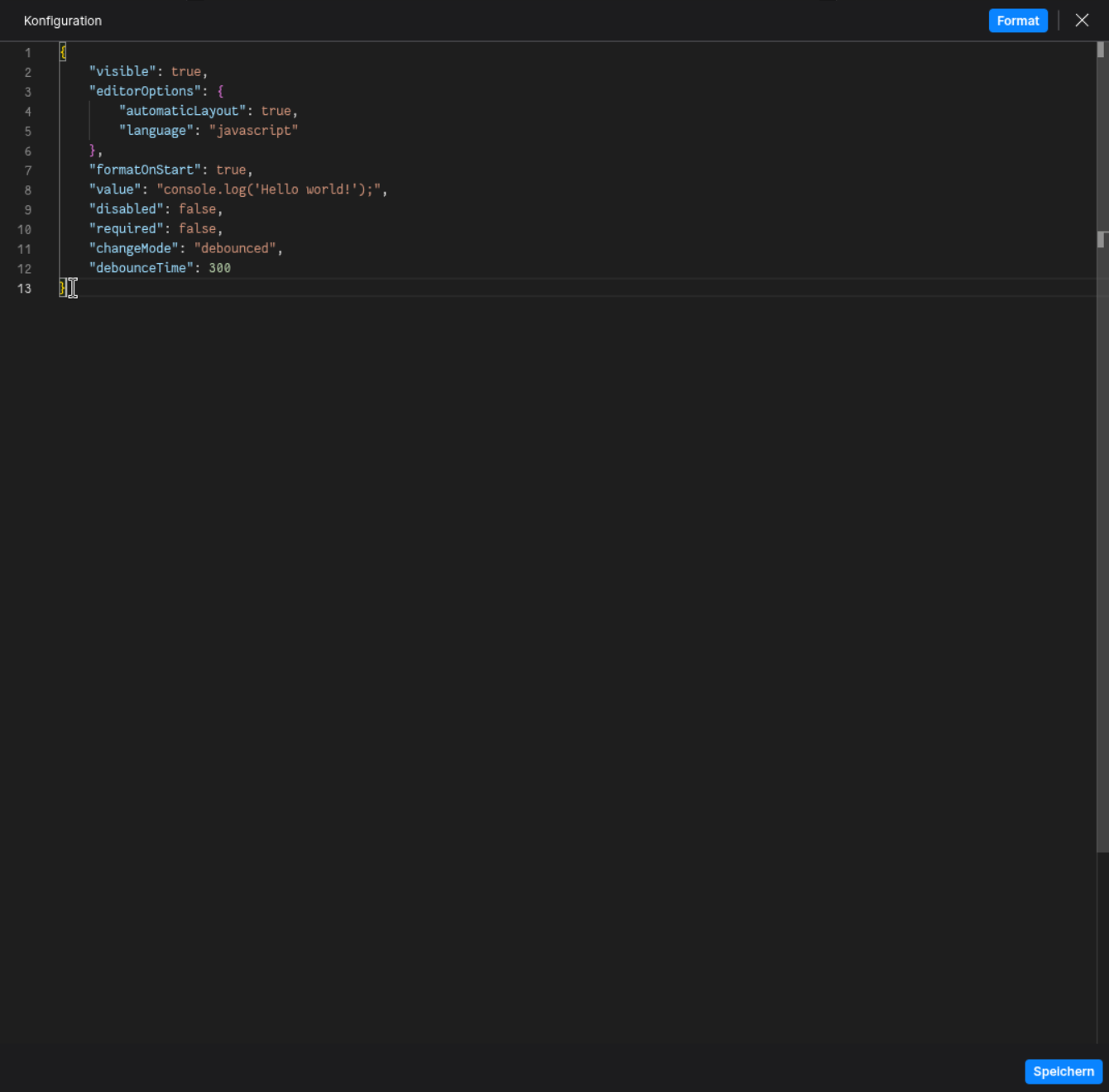
config
| Key | Label | Description | Default Value |
|---|---|---|---|
editorOptions * |
An object containing editor Options | See config.editorOptions for more informationCodeEditorOptions |
{ language: 'json', height: '100%', width: '100%', automaticLayout: true } |
formatOnStart * |
Formats the provided Code on Startup | Accepts either true or falseboolean |
true |
required |
Specifies if editor input is required | Accepts either true or falseboolean |
false |
disabled |
Specifies if the editor is disabled | Accepts either true or falseboolean |
false |
changeMode |
Specifies the kind of saving the code to the brick | The saving behavior depends on the choosen option.always saves the code on every changedebounced takes the debounceTime time, which delays the saving of the code on repeated strokesonBlur saves the code after the user leaves the editors window focusalways | debounced | onBlur |
debounced |
debounceTime |
Specifies the debounce time | Accepts a number in milliseconds (ms)number |
300 |
languageDiagnosticOptions |
Language specific diagnostic options | See config.languageDiagnosticOptions for more informationfyzMonacoLanguageDiagnosticOptions |
- |
editorOptions (config.editorOptions)
| Key | Label | Description | Default Value |
|---|---|---|---|
theme |
Defines the Editors Theme | Accepts a theming option as stringhc stands for Hight Contrastvs | vs-dark | hc-black | hc-light |
Either vs-dark or vsDepends on the browser color schema |
language |
The Language on which the Editor runs | Accepts a language option as stringjson | javascript | typescript | html | css | scss | xml | yaml | markdown | plaintext |
json |
height |
The height of the Editor | Accepts a string, e.g. 100% or 500pxstring |
100% |
width |
The width of the Editor | Accepts a string, e.g. 100% or 500pxstring |
100% |
automaticLayout |
Toggles the automatic Layout of the Editor | The Layout will grow and shrink in size, depending on available space. Accepts either true or falseboolean |
true |
lineNumbers |
Defines the row numbering on the left hand side | Accepts a line number option as stringon | off | relative | interval |
- |
lineNumbersMinChars |
Controls the minimum space for line numbers | The line numbers will reserve a specific width, depending on the number provided, e.g. 5 leads to a width of atleast 5 numbersnumber |
- |
minimap |
An object containing minimap options | See config.editorOptions.minimap for more informationCodeEditorMinimapOptions |
- |
minimapOptions (config.editorOptions.minimapOptions)
| Key | Label | Description | Default Value |
|---|---|---|---|
autohide |
Enables the autohide feature of the minimap | When enabled, the minimap will hide while scrolling or hovering over it Accepts either true or falseboolean |
- |
enabled |
Toggles the minimap | Accepts either true or false |
- |
maxColumn |
Defines the maximum rendered columns of the minimap | Will set the maximum rendered columns of the minimap. E.g. 150 will not render code that is longer than 150 characters in a linenumber |
- |
renderCharacters |
Defines if the minimap renders characters or just colored blocks | Accepts either true or falseboolean |
- |
scale |
Defines the scale of characters in the minimap | A value over 1 will render characters bigger, a value under 1 smallernumber |
- |
sectionHeaderFontSize |
Defines the font size of section headlines | You can define the font size of the headers customlynumber |
- |
showMarkSectionHeaders |
Toggles the display of MARK:-Comments in the Minimap |
If your code contains // MARK, the minimap will display its location as marked.Accepts either true or falseboolean |
- |
showMarkSectionHeaders |
Toggles the display of #region in the Minimap |
If your code contains #region ABC, the minimap will that region in the minimap.Accepts either true or falseboolean |
- |
showSlider |
Changes the displaying behavior of the Scroll-Bar | Depending on the chosen option, the scrollbar will display differentlyalways |mouseover |
- |
side |
Changes the side at which the minimap is displayed | right | left |
- |
size |
Changes the size of the minimap | The scaling behavior depends on the chosen option, propotional scales with the editor, fill fills the available space, fit reserves space, that the whole content is visiblepropotional | fill | fit |
- |
languageDiagnosticOptions (config.languageDiagnosticOptions)
(Currently only supports JSON and Typescript)
JSON (config.languageDiagnosticOptions.json)
| Key | Label | Description | Default Value |
|---|---|---|---|
validate |
Enable Validation | If set, the validator will be enabled and perform syntax and schema based validation, unless schemaValidation is ignoreboolean |
- |
allowComments |
Allow Comments | If set, comments are allowed, if false, syntax errors are emitted for comments. Either accepts true or falseboolean |
- |
schemas |
JSON Schemas | A list of known schemas and/or associations of schemas to file names. Each schema has URI, optional fileMatch patterns, and schema content{ uri: string }, fileMatch: string[], schema: any } |
- |
enableSchemaRequest |
Enable Schema Requests | If set, the schema service will load schema content on-demand using ‘fetch’ if availableboolean |
- |
schemaValidation |
Schema Validation Severity | The severity of problems from schema validation. ‘ignore’ disables schema validationerror | warning | ignore |
warning |
schemaRequest |
Schema Request Severity | Severity of issues in resolving/loading schemas. ‘ignore’ disables reportingerror | warning | ignore |
warning |
trailingCommas |
Trailing Commas Severity | Severity of reported trailing commas. Not set means errorserror | warning | ignore |
error |
comments |
Comments Severity | Severity of reported comments. If not set, controlled by allowCommentserror | warning | ignore |
- |
Typescript (config.languageDiagnosticOptions.typescript)
| Key | Label | Description | Default Value |
|---|---|---|---|
noSemanticValidation |
Disable Semantic Validation | Disables semantic validation, which checks for meaningful code correctness beyond syntax, such as type checking and symbol resolution Accepts either true or falseboolean |
- |
noSyntaxValidation |
Disable Syntax Validation | Disables syntax validation, which checks for basic code structure errors such as missing punctuation, unmatched brackets, or invalid tokens Accepts either true or falseboolean |
- |
noSuggestionDiagnostics |
Disable Suggestion Diagnostics | Disables diagnostics for suggestions like code style improvements, unused variables, or potential refactors provided by the language service Accepts either true or falseboolean |
- |
onlyVisible |
Limit to Visible Files | Limits diagnostic computation to only visible files Accepts either true or falseboolean |
false |
diagnosticCodesToIgnore |
Ignored Diagnostic Codes | List of diagnostic codes that should be ignored during validationnumber[] |
- |
🛠️ Usage
Designer
(Use the build in configuration Inputs in the right Side-Nav)
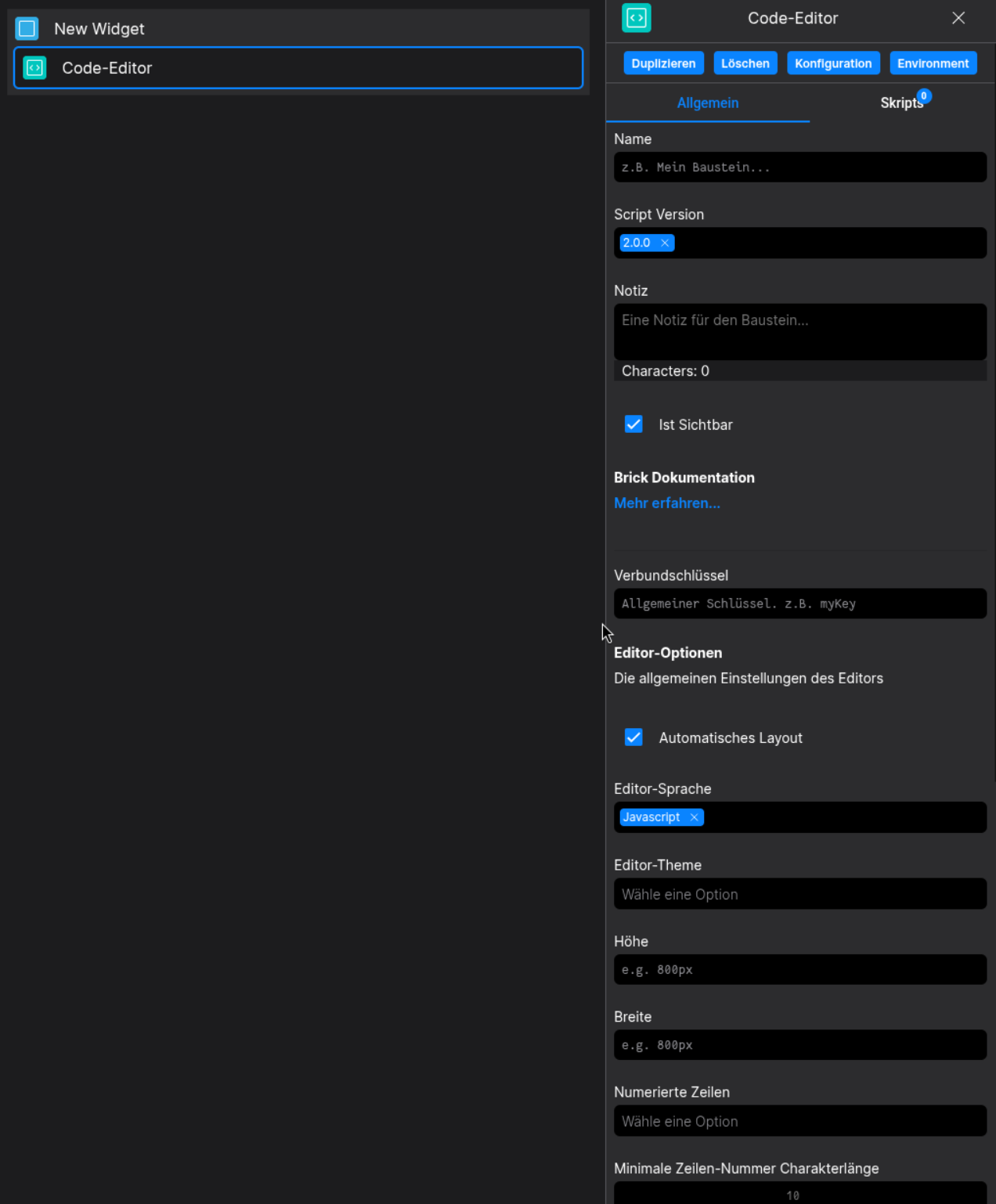
Config
(Edit the whole configuration of the Button to your liking)