
Daten Interator
📘 Developer Guide
With the Brick Data Iterator, you can repeat its nested child bricks dynamically.
From a programming perspective, it behaves like a for-loop that iterates over an array of data.
🔁 Example
Following Example will show How to Render Multiple Tables Based on an Array.
Designer
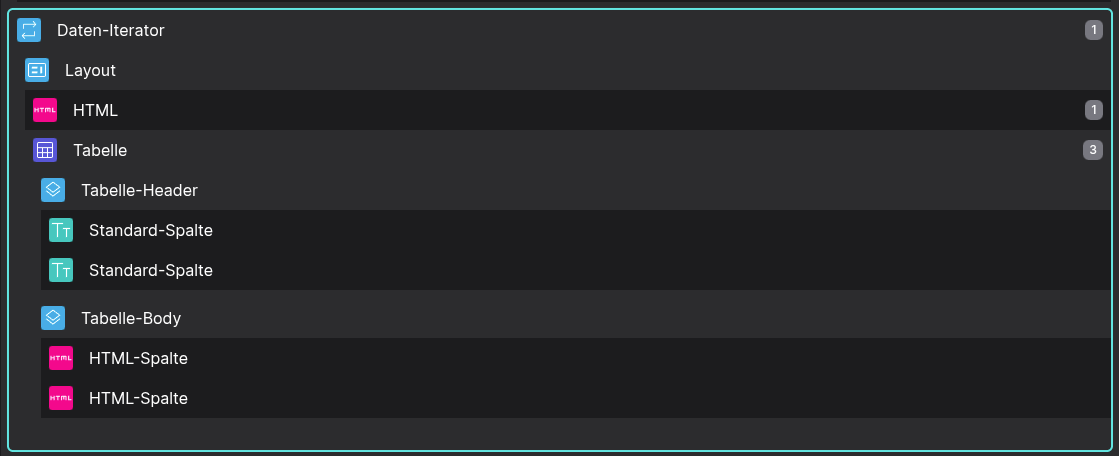
Example of a Data Iterator Brick that renders multiple tables with a headline.
Runtime
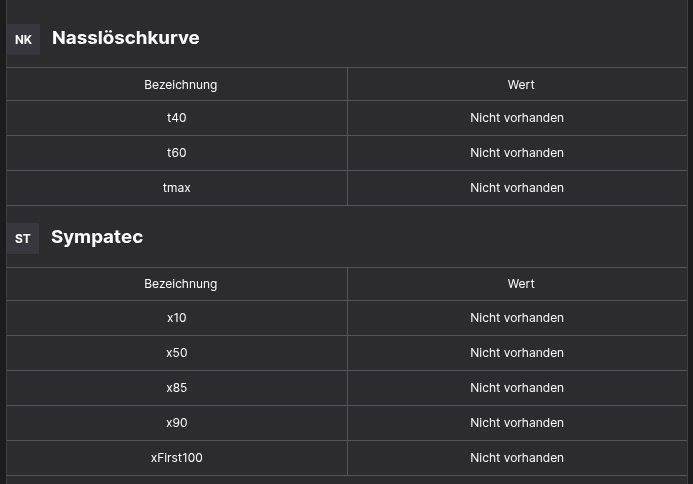
Example of how the Data Iterator Brick renders multiple tables.
⚙️ Configuration Properties
| Key | Label | Description | Default Value |
|---|---|---|---|
data |
Array of elements | Accepts an array of objects to iterate over | [] |
entryContextKey |
Name of each item (usage see 2.2) | Variable name to access each object during iteration | entryContext |
🛠️ Usage
Static Data
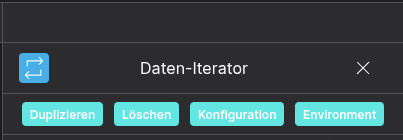
Use the configuration button to insert your static data in JSON format.
{
    "data": [
        { "firstName": "Max", "lastName": "Mustermann" },
        { "firstName": "Max", "lastName": "Mustermann" }
    ]
}
This static data example will make your brick render its children 2 times.
⌨️ Programmatical Data
How to apply data within scripting
This will make your Data Iterator render all children two times. Each time your children can access the data of the x-th element (see 2.2).
// 📥 Import required Flyze Brick APIs
const { api: brickApi } = fyzBrick;

// ⚙️ Retrieve the current configuration of the Brick
const brickConfig = brickApi.getConfig();

// 📊 Define the data to be injected into the Brick
const data = [
    { firstName: "Max", lastName: "Mustermann" },
    { firstName: "Peter", lastName: "Woodfire" }
];

// 🧩 Assign the custom data to the Brick's config
brickConfig.data = data;

// ✅ Apply the updated configuration to the Brick
brickApi.setConfig(brickConfig);
How to access data in a child brick
This example shows how to access the runtime environment of a Brick, specifically retrieving the data of the current iteration context. To make this script work you need to create an pre-execution script on your child brick.
// 📥 Import the Brick environment API
const { env: brickEnv } = fyzBrick;

// 🔍 Access the current entry's context (i.e., the x-th element in iteration)
// 1. option: with entryContextKey is 'item'
const { value: item } = brickEnv.getProp('item');

// 2. option: with entryContextKey is unset
const { value: entryContext } = brickEnv.getProp('entryContext');

// 3. option: get all available data
const envData = brickEnv.get();