Default-Column
📘 Developer Guide
With the Default-Column Brick, you are able to display simple columns based on table data.
Columns without specified component will default to the Default-Column Brick.
🔁 Example
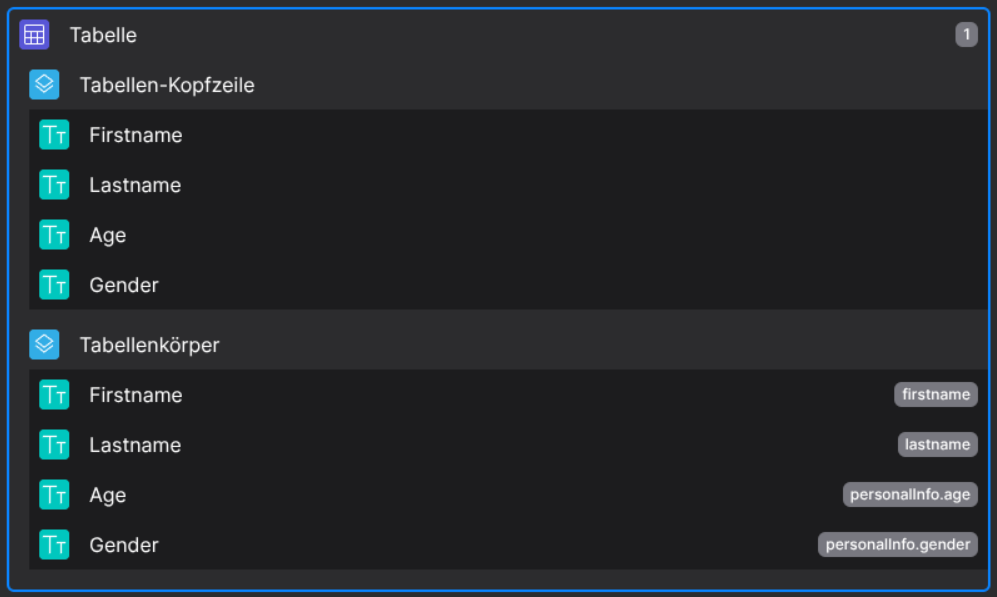
Designer
(DropableDroppable in both header and body columns)
Runtime
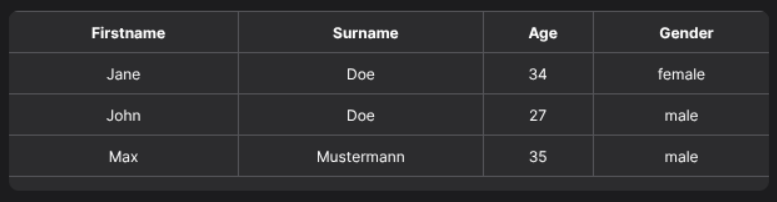
This example uses with the following data set:
{
  "data": [
        {
            "id": "1",
            "firstname": "Jane",
            "lastname": "Doe",
            "personalInfo": {
                "age": 34,
                "gender": "female"
            }
        },
        {
            "id": "2",
            "firstname": "John",
            "lastname": "Doe",
            "personalInfo": {
                "age": 27,
                "gender": "male"
            }
        },
        {
            "id": "3",
            "firstname": "Max",
            "lastname": "Mustermann",
            "personalInfo": {
                "age": 35,
                "gender": "male"
            }
        }
    ]
}
⚙️ Configuration Properties
config
See HeaderCell and BodyCell for more information.
🛠️ Usage
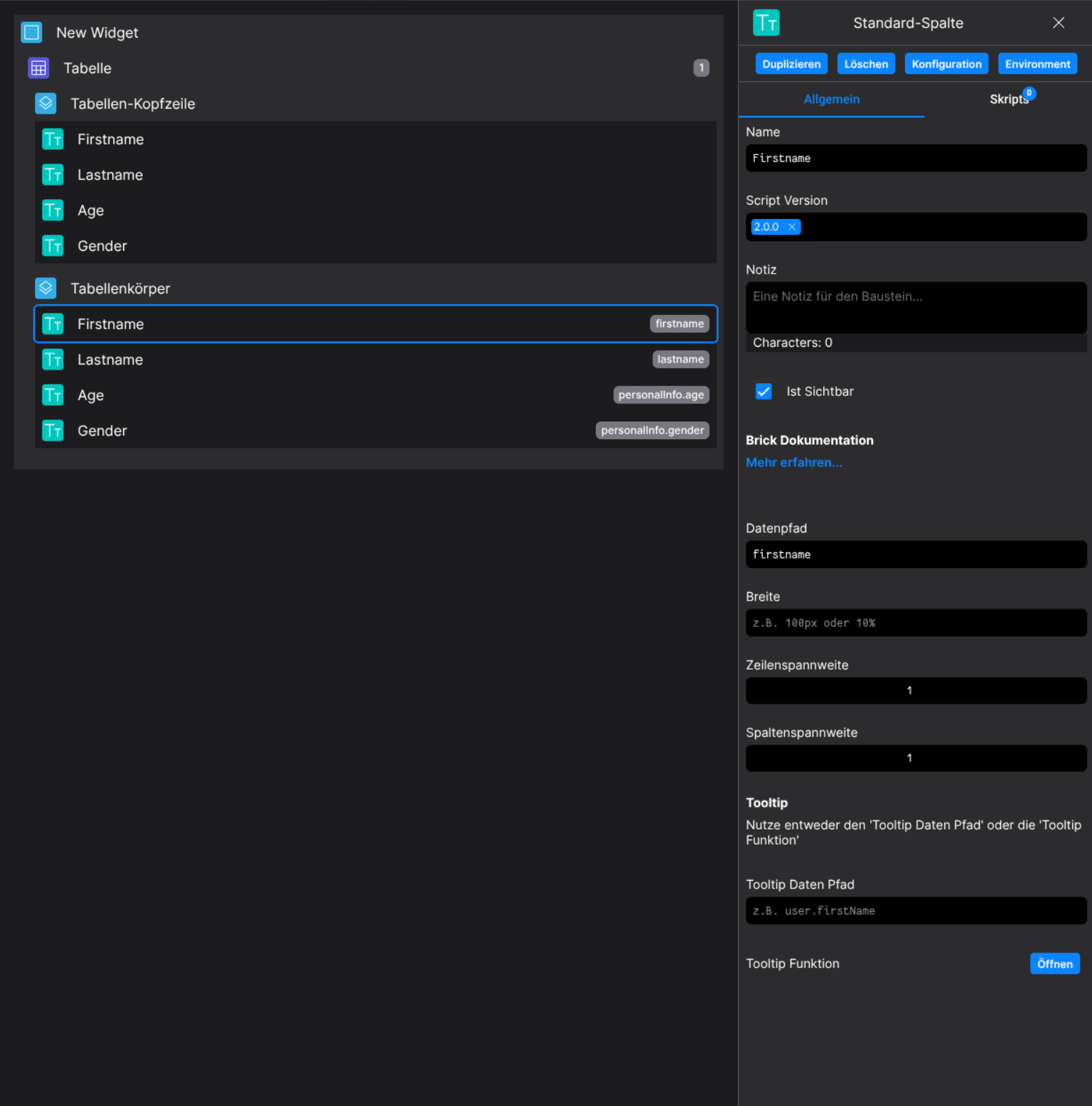
Designer
(Use the build in configuration Inputs in the right Side-Nav)
Config
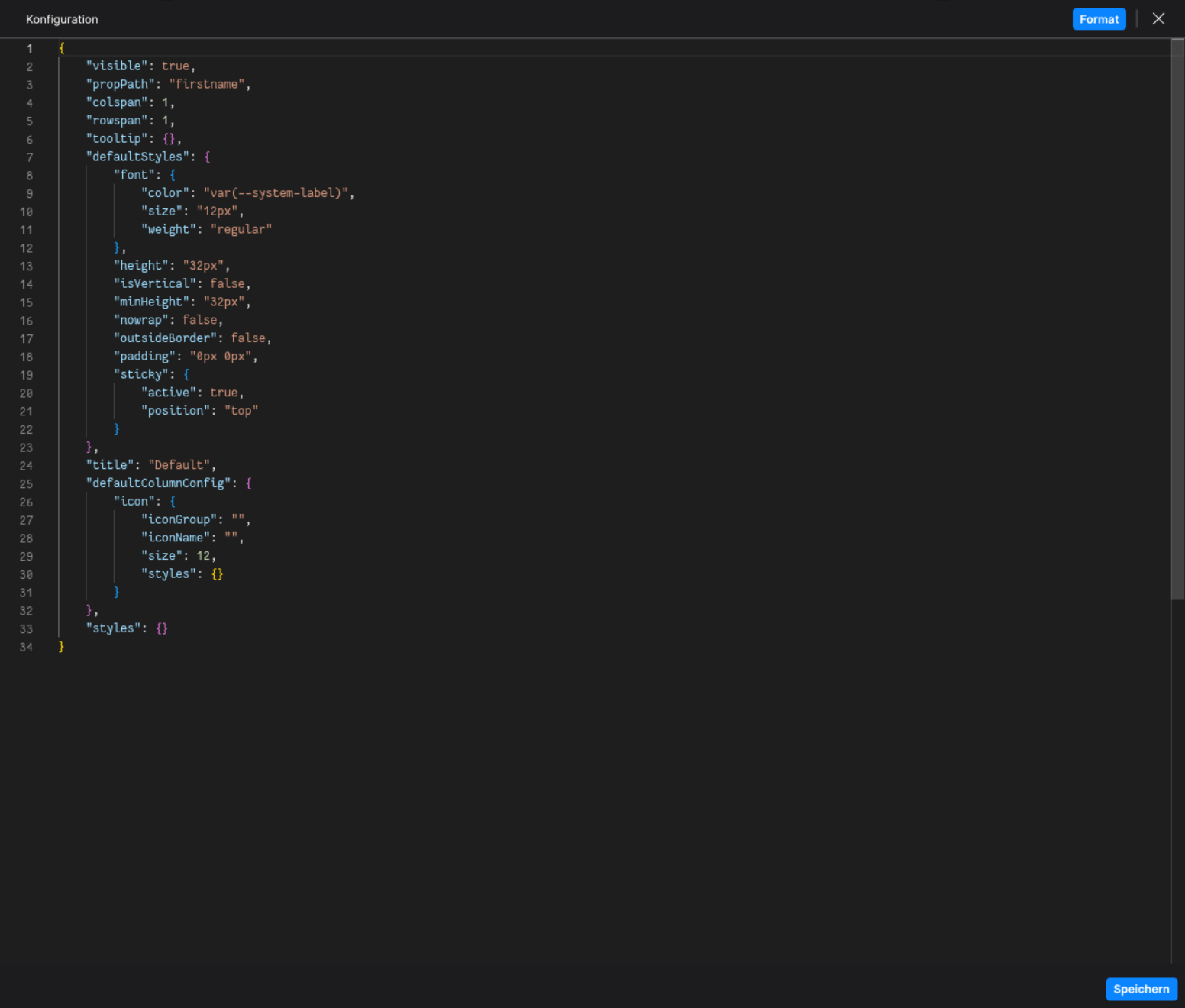
(Edit the whole configuration of the Default-Column to your liking)