
Upload-Field
📘 Developer Guide
With the Upload-Field Brick, you are able to upload Files in your Dashboards and handle them accordingly.
🔁 Example
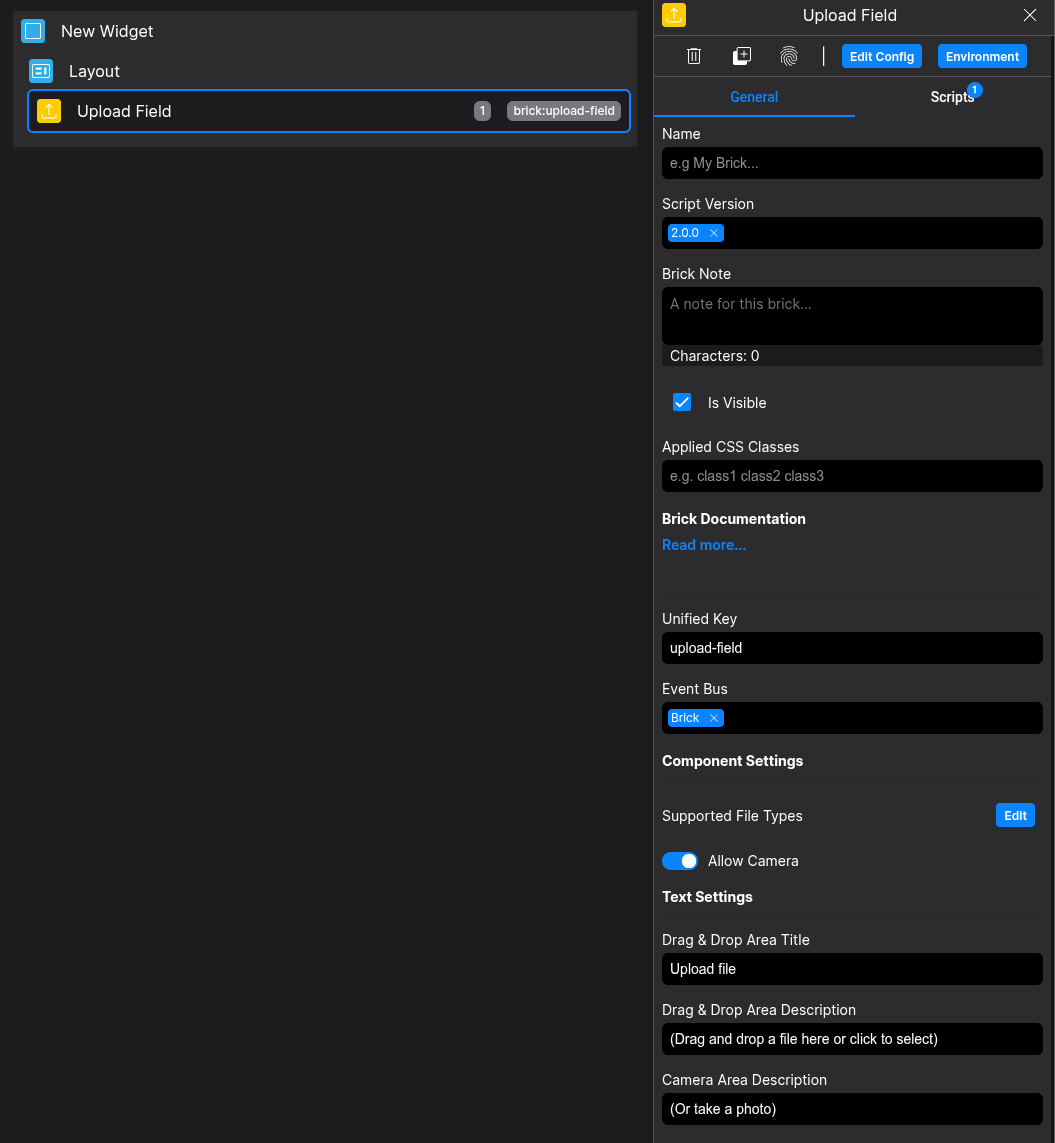
Designer
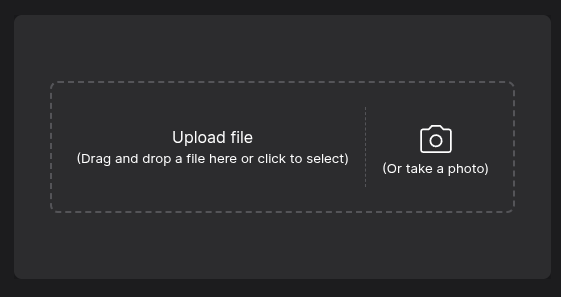
Runtime
⚙️ Configuration Properties
Config
| Key | Label | Description | Default Value |
|---|---|---|---|
texts.title |
Title in the Drop-Down Area | Can be optional string |
Upload file |
texts.description |
Description in the Drop-Down Area | Can be optional string |
(Drag and drop a file here or click to select) |
texts.photoDescription |
Description in the PHoto-Area | Can be optional string |
(Or take a Photo) |
texts.actions.cancelButton |
Button-Text of the Cancel Photo Button | Can be optional string |
Cancel |
texts.actions.captureButton |
Button-Text of the Captrue Photo Button | Can be optional string |
Capture |
settings.supportedFileTypes |
The supported Filetypes to upload | Can be optional string[] |
['image/png', 'image/jpeg, 'image/gif', 'image/webp'] |
settings.allowCamera |
Enable Camera-Area | Can be optional boolean |
false |
🧨 Events
| Event-Name | Action | Description |
|---|---|---|
onFileSelected |
Fires on upload |
When a File is uploaded, it will Fire an EventFileList | File[] |
onIsRecording |
Fires when Camera is enabled/disabled | When the camera toggles, it will fire an Eventboolean |
🛠️ Usage
Designer
(Use the build in configuration Inputs in the right Side-Nav)
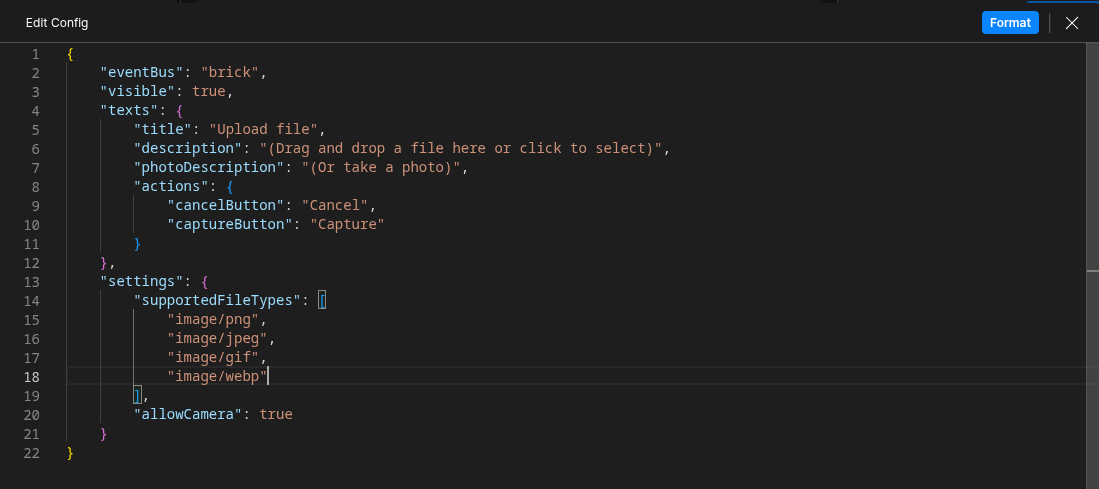
Config
(Edit the whole configuration of the Tab-Toggle to your liking)
⌨️ Programmatical Data
How to changesend theBase64 JSON-Diffto viae.g. Scriptingan HTML-Brick
const file = actionData[0];

const reader = new FileReader();
reader.onload = (e) => {
    fyzDashboard.event.emit({
        name: "showImageAfterUpload",
        value: e.target.result
    });
};
reader.readAsDataURL(file);
How to send the File-Data to an external API
// Send as Blob (multipart/form-data)
async function sendAsBlob(actionData) {
  const file = actionData; // File is already a Blob

  const formData = new FormData();
  formData.append("file", file, file.name);

  const response = await fetch("https://example-API.local/post", {
    method: "POST",
    body: formData,
  });

  const result = await response.json();
  console.log("Blob upload result:", result);
}


// Send as Base64 (application/json)
function fileToBase64(file) {
  return new Promise((resolve, reject) => {
    const reader = new FileReader();
    reader.onload  = () => resolve(reader.result.split(",")[1]); // strip data URL prefix
    reader.onerror = () => reject(reader.error);
    reader.readAsDataURL(file);
  });
}

async function sendAsBase64(actionData) {
  const file = actionData;
  const base64 = await fileToBase64(file);

  const response = await fetch("https://example-API.local/post", {
    method: "POST",
    headers: { "Content-Type": "application/json" },
    body: JSON.stringify({
      filename: file.name,
      mimeType: file.type,
      data: base64,
    }),
  });

  const result = await response.json();
  console.log("Base64 upload result:", result);
}

sendAsBlob(actionData[0]);
sendAsBase64(actionData[0]);