
Dashboard Controller
Toolbar Api
The toolbar api helps to add/remove buttons and groups to the app toolbar or dashboard toolbar.
You can control the the visibility of a button/group with the displayCondition.
You can control the appearance of a button with the displayTransformation.
See the fully working example below.
How to catch an event
Be aware to select the correct event bus.
- Location: App Toolbar -> Use App Event Bus.
- Location: Dashboard Toolbar -> Use Dashboard Event Bus.
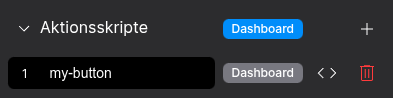
⚙️ Explaination of Variables
| Key | Label | Description | Default Value |
|---|---|---|---|
toolbarType |
Toolbar Location | app or dashboard |
undefined |
displayCondition |
Callback function displayCondition(context) => boolean |
Determine the visibility based on the context | true |
displayTransformation |
Callback function displayCondition(button, context) => button |
Determine the appearance based on the context | button |
Example - Add a group and button, control the state
Copy following example into a dashboard pre execution script. It will render a button and make it blink for several seconds. The example shows how to control the state of the button with a Behavior Subject and also with a local variable.
// App
// const { event: appEvent, env: appEnv } = fyzApp;
// Dashboard
const { event: dashboardEvent, env: dashboardEnv } = fyzDashboard;
const { toolbarApi } = fyzDashboard.controller;

console.log("Start Dashboard.");

const buttonStateSubject$ = new rxjs.BehaviorSubject({
    state: 'transparent'
})

toolbarApi.applyToolbarContext(buttonStateSubject$);

const myGroup = {
    group: {
        id: 'my-app-group',
        orderId: -1,
        buttons: [],
    },
    toolbarType: 'app',
    displayCondition: (context) => {
        return true;
    },
};

let localState = {
    state: 'transparent'
}

const myButton = {
    button: {
        id: 'my-button',
        state: 'transparent',
        stateStyles: {
            default: {
                backgroundColor: 'var(--system-tint)',
                fill: 'var(--system-label)',
                color: 'var(--system-label)',
            },
            hover: {
                backgroundColor: 'transparent',
                fill: 'var(--system-tint)',
                color: 'var(--system-tint)',
            },
        },
        buttonBaseStyles: {
            padding: '0 3px',
        },
        buttonStyles: {
            padding: '0 3px',
        },
        tooltip: 'Test',
        prefixIcon: {
            iconName: 'add',
            iconGroup: 'fyz-icons/general-icons',
            inheritColorFromState: true,
            show: true,
            iconConfig: {
                size: 16,
            },
        },
    },
    orderId: 60,
    toolbarType: 'app',
    groupId: 'my-app-group',
    displayCondition: ()context) => {
        return true;
    },
    displayTransformation: (button, context) => {
        if (localState) {
            return fyzUtils.mergeDeep(button, { state: localState.state });
        } else {
            return fyzUtils.mergeDeep(button, { state: context.state });
        }

    }
}


toolbarApi.registerGroup(myGroup)
toolbarApi.registerButton(myButton);

setTimeout(x => {
    localState = {
        state: 'default'
    }

    console.log("Render");
    toolbarApi.render();

}, 1000)

setTimeout(x => {
     localState = undefined;
    console.log("Updateing Context");
    buttonStateSubject$.next({
        state: 'transparent'
    })
}, 5000);

setTimeout(x => {
    buttonStateSubject$.next({
        state: 'default'
    })
}, 6000);


setTimeout(x => {
    toolbarApi.removeButton('my-button');
}, 7000)

setTimeout(x => {
    toolbarApi.removeGroup('my-app-group');
}, 8000)
Fullscreen
const { controller } = fyzDashboard;
controller.isFullscreen = true;

controller.isFullscreen$.pipe(rxjs.take(1)).subscribe(isFullscreen => {
    console.log("Is Fullscreen", isFullscreen);

    setTimeout(x => {
        controller.toggleFullscreen();
    }, 1000);
});