
Action-Button Group
📘 Developer Guide
With the Action-Button Group Brick, you can easily add multiple grouped Buttons to your dashboards.
You are able to listen to the Actions, which will be emitted on Button click to react with Scripting onto them.
🔁 Example
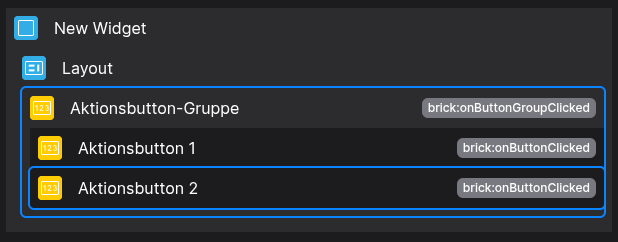
Designer
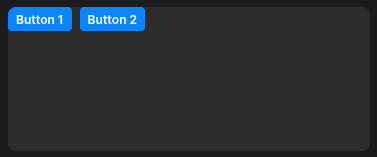
Runtime
⚙️ Configuration Properties
Config
| Key | Label | Description | Default Value |
|---|---|---|---|
id |
ID of the Button | Can be selected using CSS via #flyze-button-idstring UUID |
Random UUID |
orderId |
The order of button groups | Accepts a number. Allows number |
- |
version |
Decider for the version of the Button | modern, since legacy will be removed in the It just exists for backward modern legacy |
legacy |
layout |
The layout of the action button group | Allows row | column |
row |
buttons * |
The Buttons within the group | Accepts FyzSbActionButtonConfig[] |
[] |
🎨 CSS Variables
(These variables will even allow you to override predefined states without the use ofusing !important)
🛠️ Usage
Config
(Edit the whole configuration of the Button-Group to your liking)

2.⌨️ Programmatical Data
2.1 How to style the layout
This example shows,shows how to style your Button-Group via CSS
CSS.
[layout="row"] {
  --fyz-sb-button-group-direction: row-reverse;
  justify-content: center;
  align-items: centercenter;
}
Use the Layout Brick to style groups based on
thatthisexampleexample.
2.2 How to update the Button-Group via Scripting
// ⚙️ Retrieve the current configuration of the Brick
const config = fyzBrick.cRef.getConfig();

// 🏭 Define a new Button
const newButton = {
  version: "modern",
  text: "Hit me up",
  tooltip: "I dare you",
  visible: true,
  show: true,
  eventBus: "brick",
  state: "default",
  shortcut: {
    key: "a",
    ctrlKey: true,
    altKey: true,
    shiftKey: false
  },
  prefixIcon: {
    version: "modern",
    iconCategory: "social",
    iconName: "eco",
    size: "small"
  },
  suffixIcon: {
    version: "modern",
    iconCategory: "action",
    iconName: "play",
    size: "default"
  }
};

// 💱 Modify and merge the config to change to the desired button-group/behavior
fyzBrick.cRef.mergeConfig({ ...config, layout: 'column'"column", buttons: [newButton, newButton] });