
Actions-Column
📘 Developer Guide
With the Action-Column Brick, you are ablecan provide multiple Action-Buttons in aan Action-Group,Group to react to button clicks which throwstrigger actions defined by the buttons.
For more information, see Action-Button and Action-Button Group.
🔁 Example
Designer
(Only dropabledroppable in body columns)
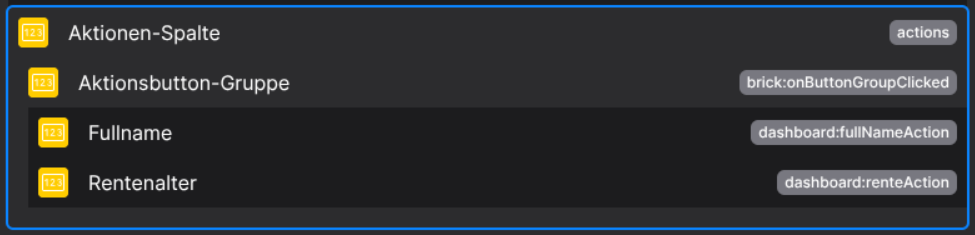
Runtime
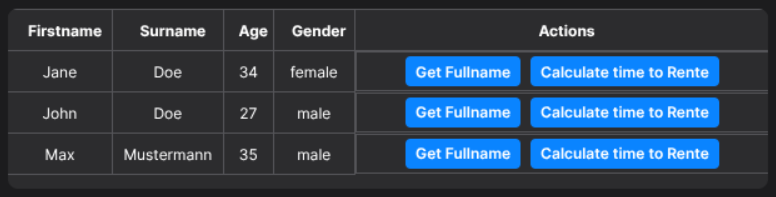
This example uses with the following data set:
{
  "data": [
    {
      "id": "1",
      "firstname": "Jane",
      "lastname": "Doe",
      "personalInfo": {
        "age": 34,
        "gender": "female"
      }
    },
    {
      "id": "2",
      "firstname": "John",
      "lastname": "Doe",
      "personalInfo": {
        "age": 27,
        "gender": "male"
      }
    },
    {
      "id": "3",
      "firstname": "Max",
      "lastname": "Mustermann",
      "personalInfo": {
        "age": 35,
        "gender": "male"
      }
    }
  ]
}
⚙️ Configuration Properties
(Extends BodyCell)
component: 'FyzSbTableCellActionsComponent'
component.config
| Key | Label | Description | Default Value |
|---|---|---|---|
buttonGroupConfig |
The configuration of the Button Group | Find out more under Action-Button Group | - |
🛠️ Usage
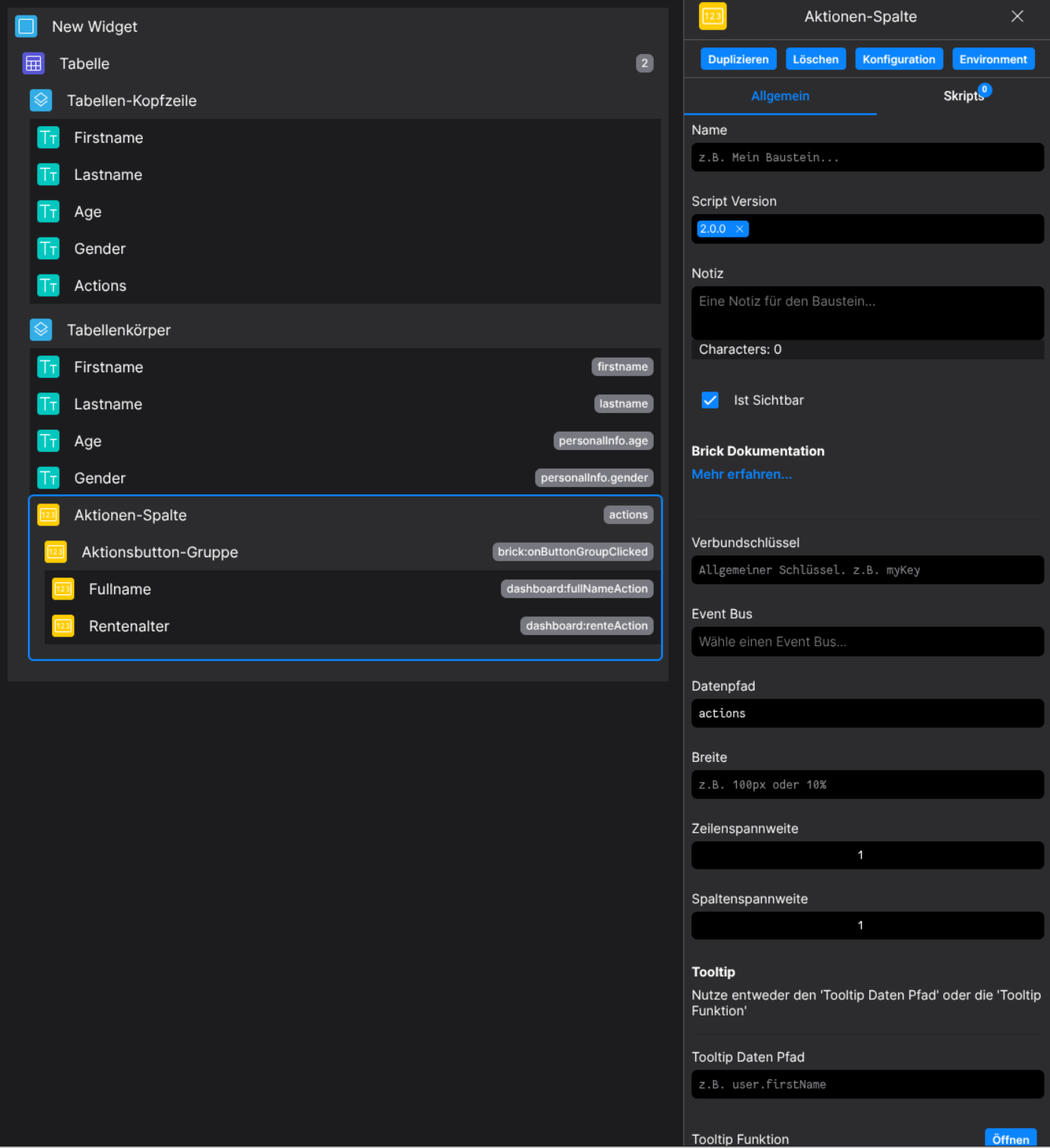
Designer
(Use the buildbuilt in configuration Inputs in the right Side-Nav)
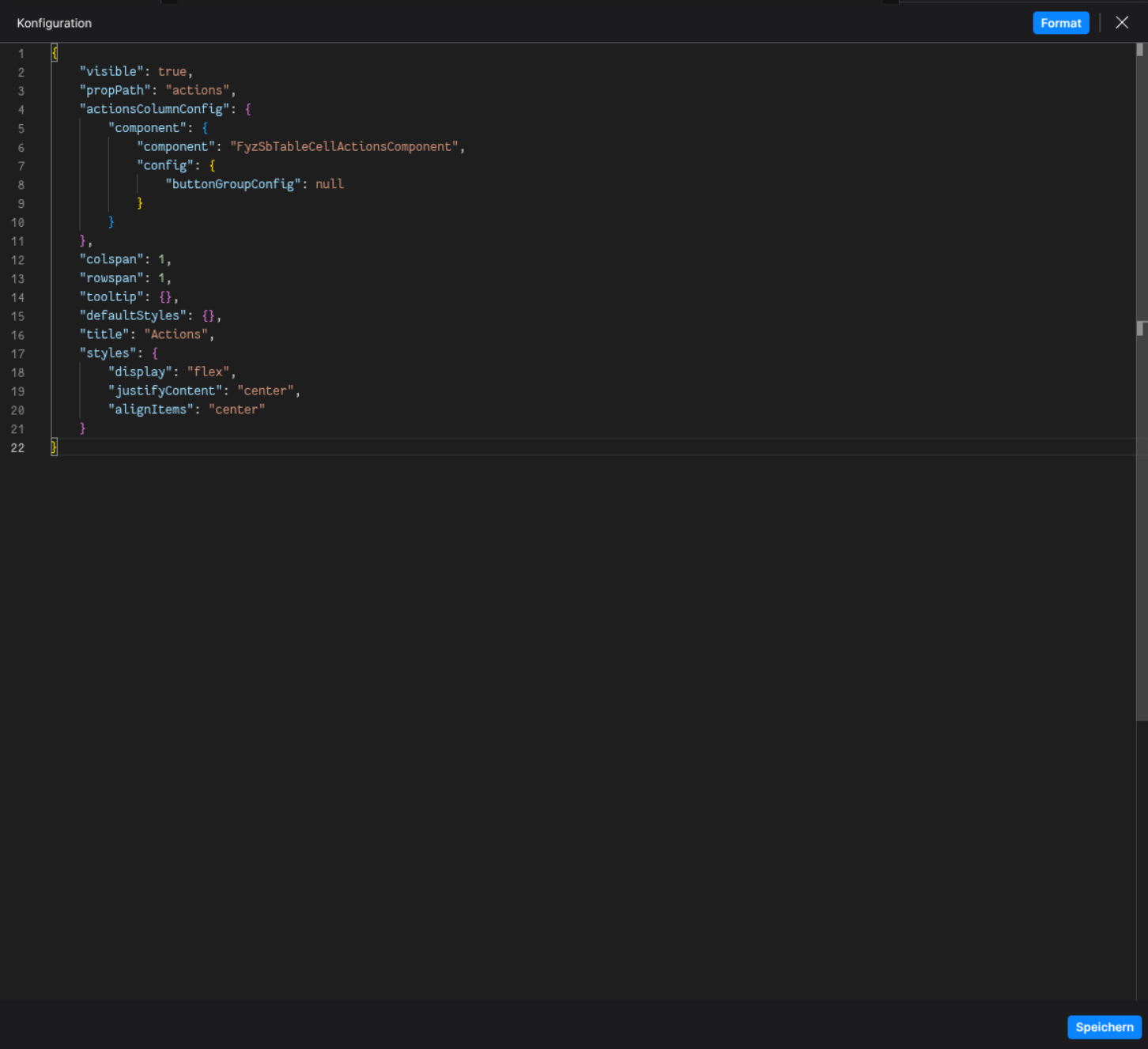
Config
(Edit the whole configuration of the Action-Column to your liking)
2.⌨️ Programmatical Data
2.1 How to react to action button events
Define ana relation key,key to listen to the click actionsactions.For
this we are settingSet the Event Bus to Scope, sinceso weyou want tocan react on the actions in the tableTable brick.Brick Otherwiseand we can't gather the information needed, which is contained inaccess the row datadata.
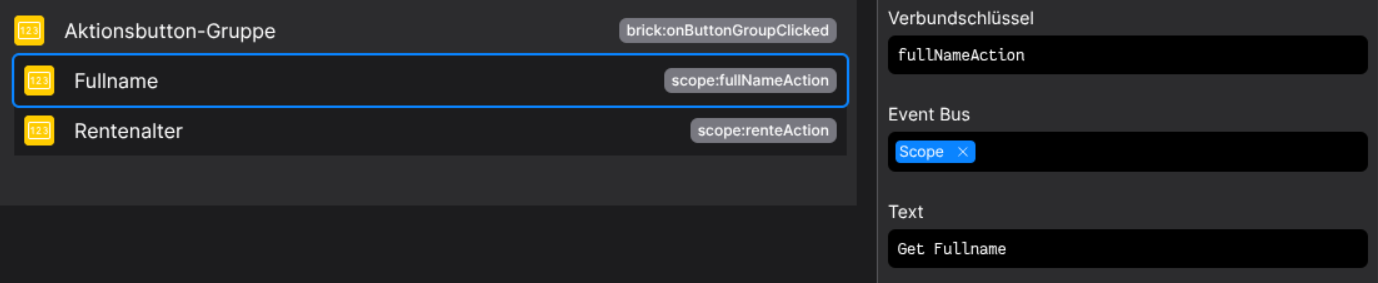
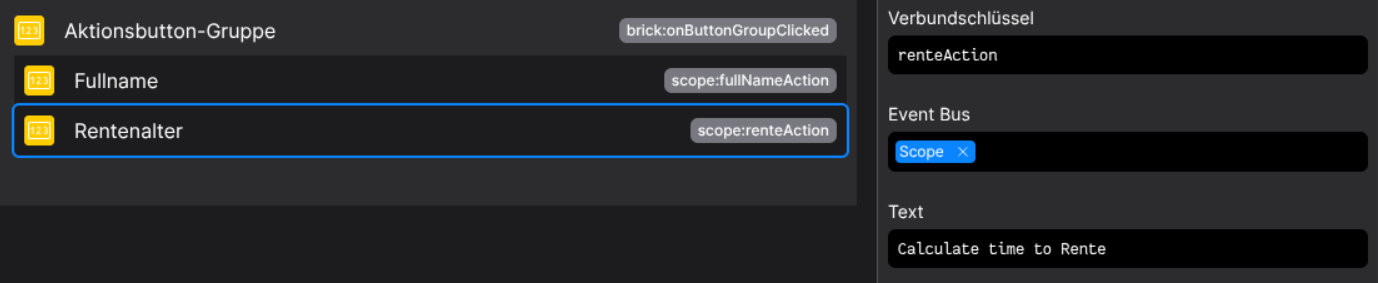
Create action scripts based on the relation keys defined in the button configsconfigs.
Set the Event Bus to Scope here also, otherwise the action will not get firedfired.
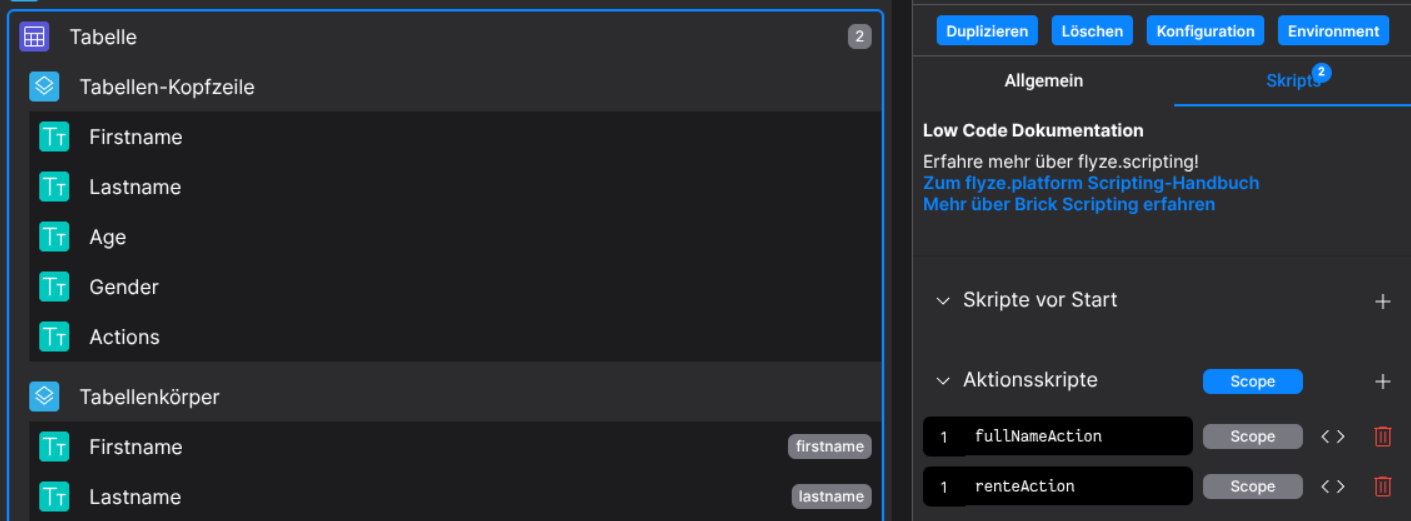
fullNameAction:Example script for fullNameAction:
// ⬇️ Extract the row data via the actionData
const rowData = actionData.row;
// 🧑💻 Do your thing
console.log(`${rowData.firstname} ${rowData.lastname}`);
renteAction:Example script for renteAction:
// ⬇️ Extract the row data via the actionData
const rowData = actionData.row;
// 🧑💻 Do your thing
console.log(`${67 - rowData.personalInfo.age} years left to Rente 🌄`);
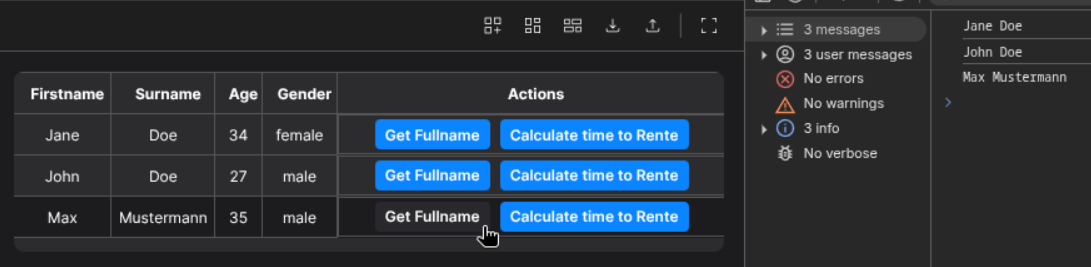
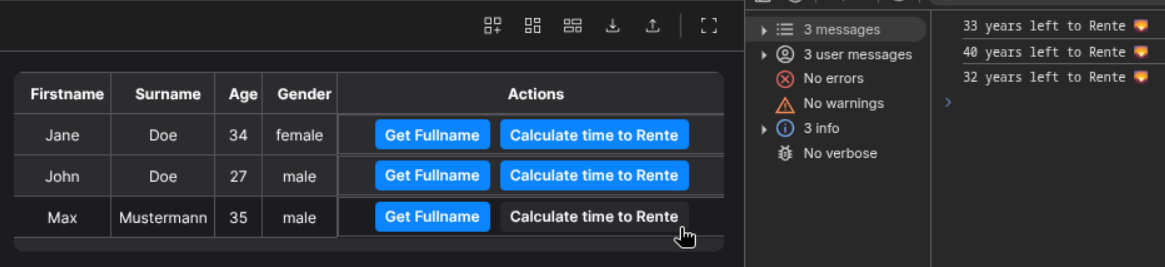
🪄 See how the magic unfolds, after clicking a button in the Table
</details>