
Badge-Column
📘 Developer Guide
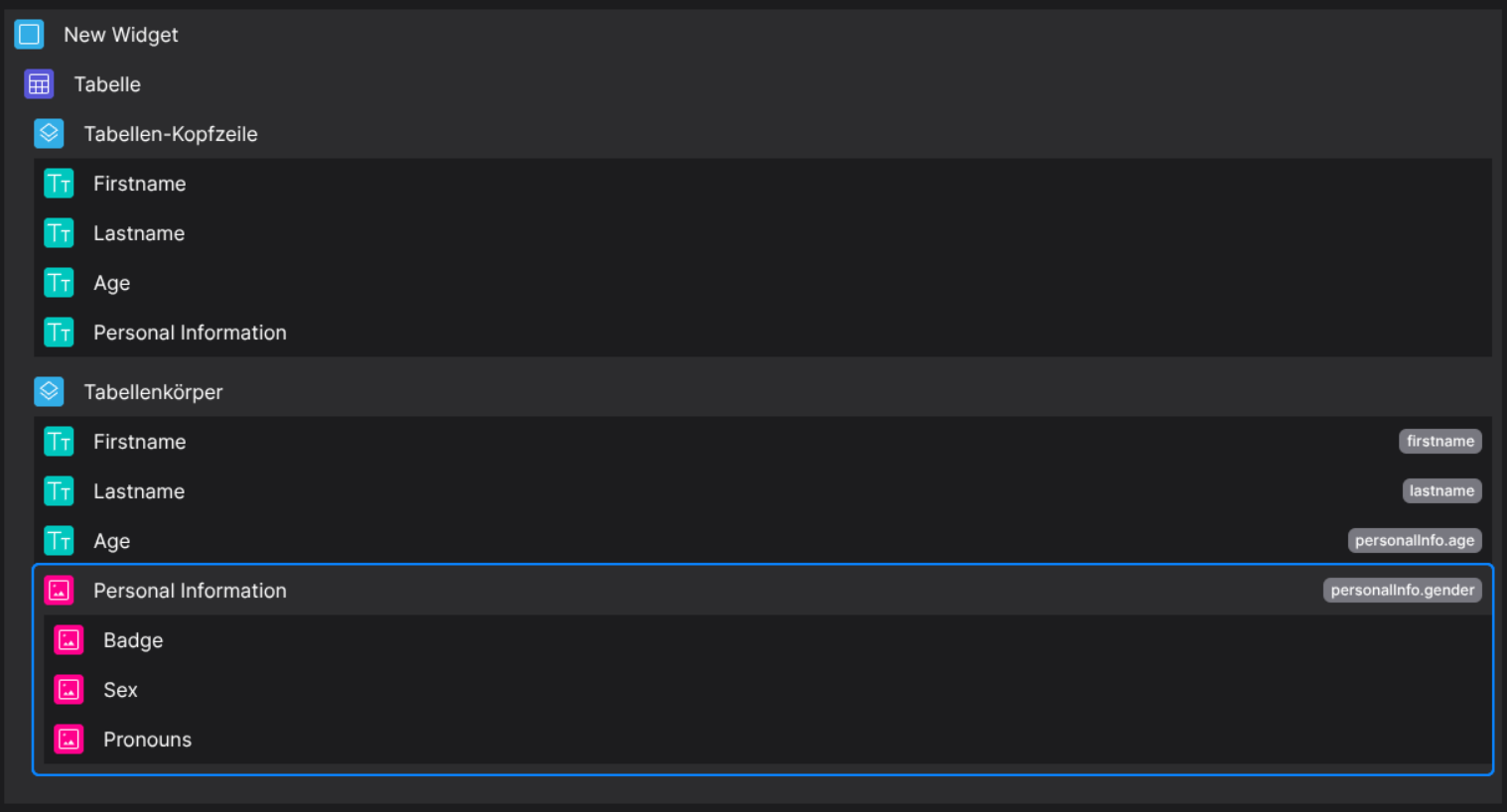
With the Badge-Column Brick, you are able to define several badges. All badges will be displayed per column, depending on if you are using internal scripting and interpolation or not, check out the example.
🔁 Example
Designer
(Only dropabledroppable in body columns)
Runtime
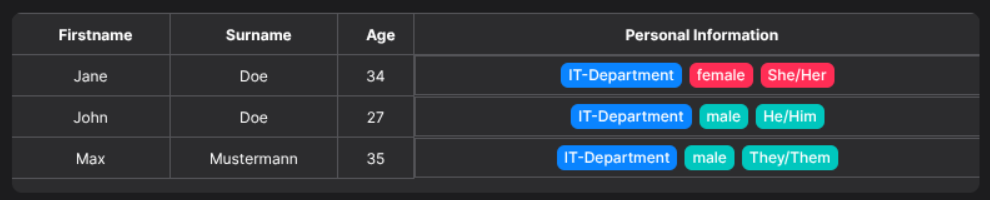
This example uses the following data set:
{
  "data": [
    {
      "id": "123",
      "firstname": "Jane",
      "lastname": "Doe",
      "personalInfo": {
        "age": 34,
        "gender": "female",
        "pronouns": "She/Her"
      }
    },
    {
      "id": "456",
      "firstname": "John",
      "lastname": "Doe",
      "personalInfo": {
        "age": 27,
        "gender": "male",
        "pronouns": "He/Him"
      }
    },
    {
      "id": "789",
      "firstname": "Max",
      "lastname": "Mustermann",
      "personalInfo": {
        "age": 35,
        "gender": "male",
        "pronouns": "They/Them"
      }
    }
  ]
}
⚙️ Configuration Properties
(Extends BodyCell)
component: 'FyzSbTableCellBadgeComponent'
component.config
| Key | Label | Description | Default Value |
|---|---|---|---|
badges |
The configurations of the badges | Find out more under Badge | - |
backgroundColor |
The background color of the badges | Supports internal scripting engine, see the Example any |
- |
defaultStyles |
The default styles of the badges | any |
- |
component.contentByPropPath
| Key | Label | Description | Default Value |
|---|---|---|---|
type |
The type of |
'script' |
'script' |
data |
The script which will be executed and parsed. | The script as string needs to return a value string |
|
🛠️ Usage
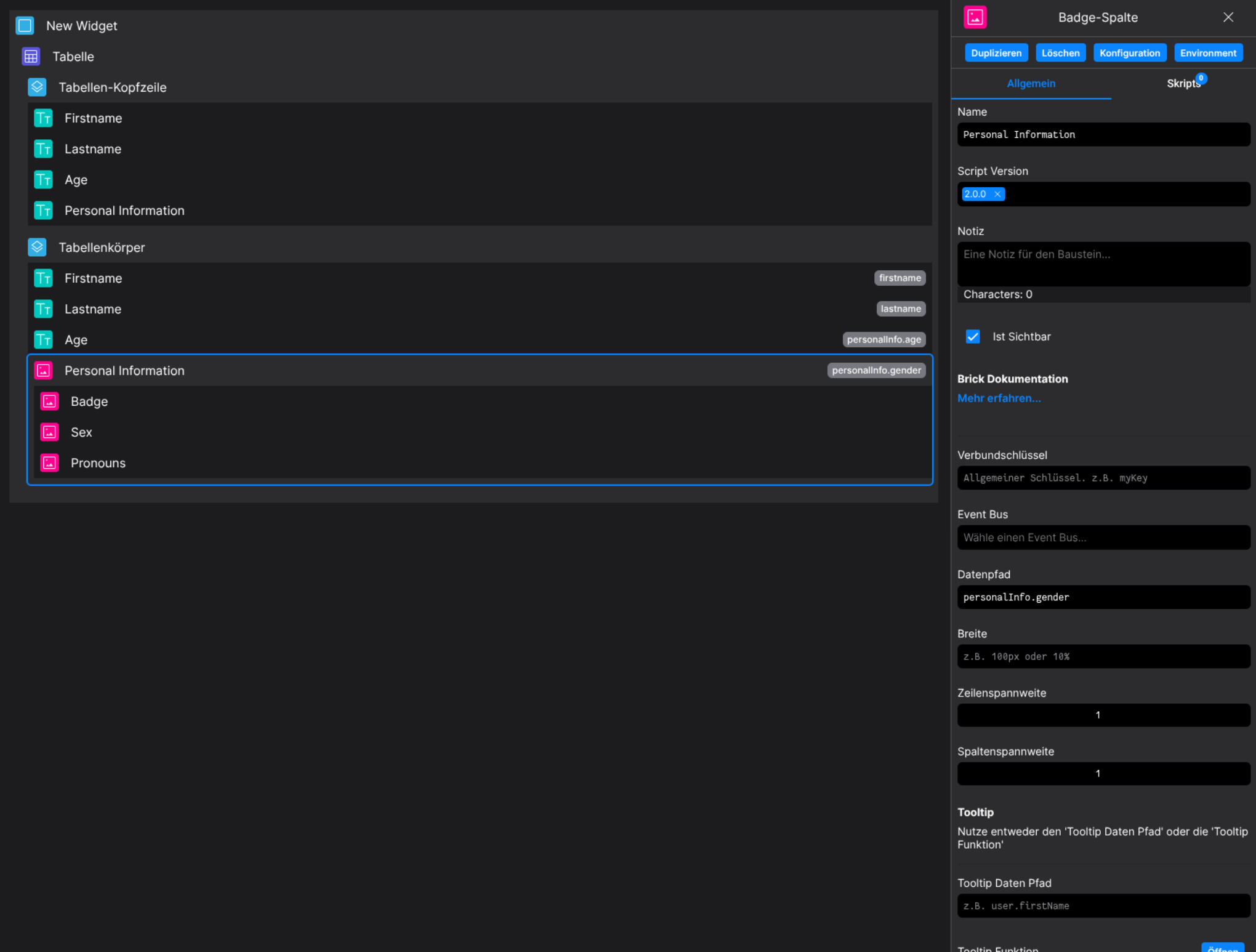
Designer
(Use the build in configuration Inputs in the right Side-Nav)
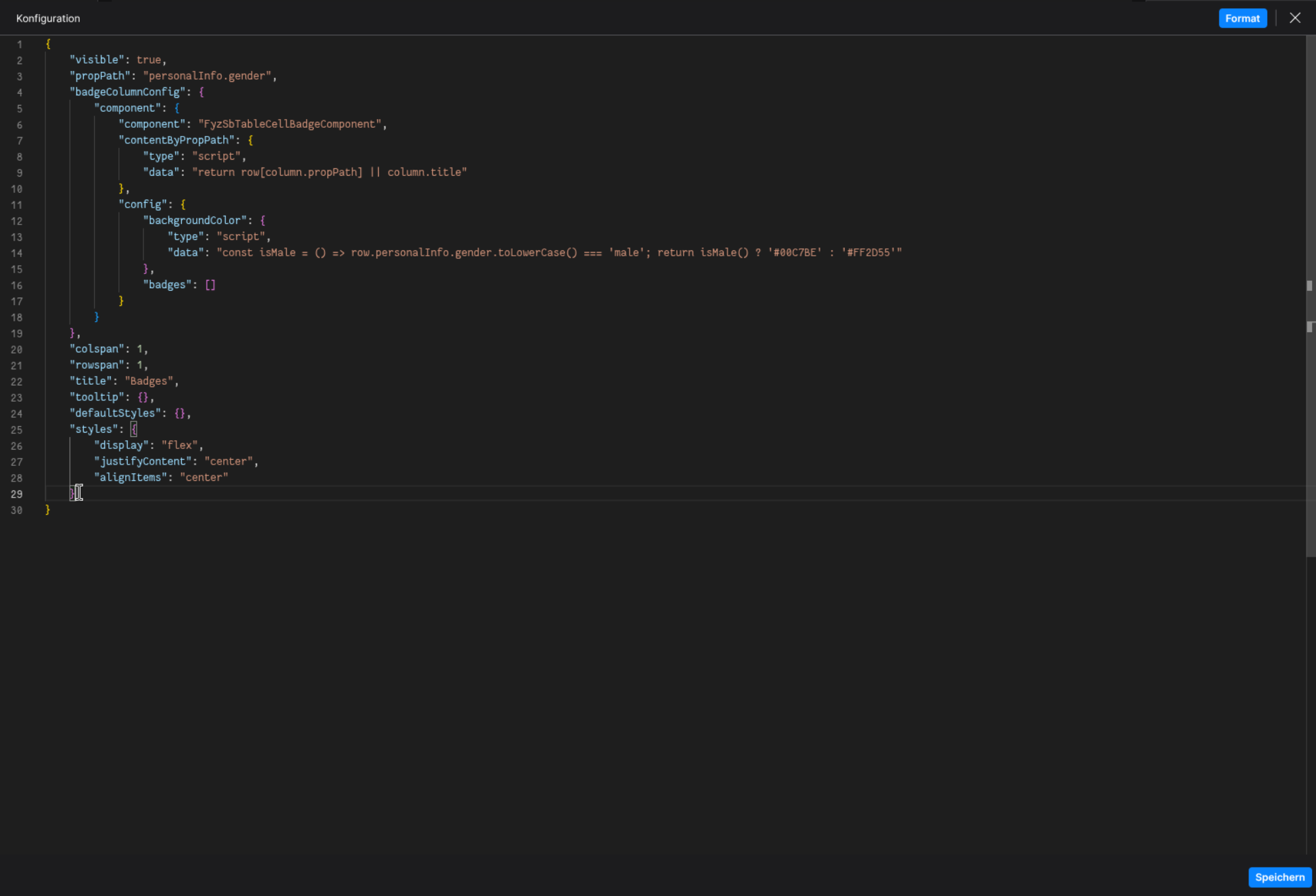
Config
(Edit the whole configuration of the Badge-Column to your liking)
2.⌨️ Programmatical Data
2.1 Example of how to display badges using internal scripting and interpoplationinterpolation
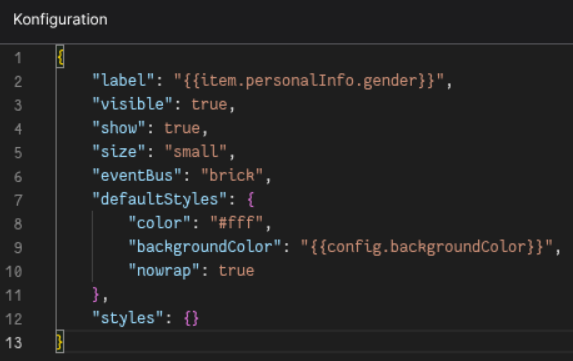
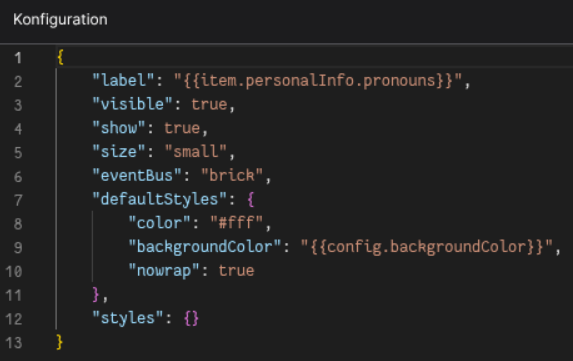
Define a conditional check in the background property of the Badge-Column Config

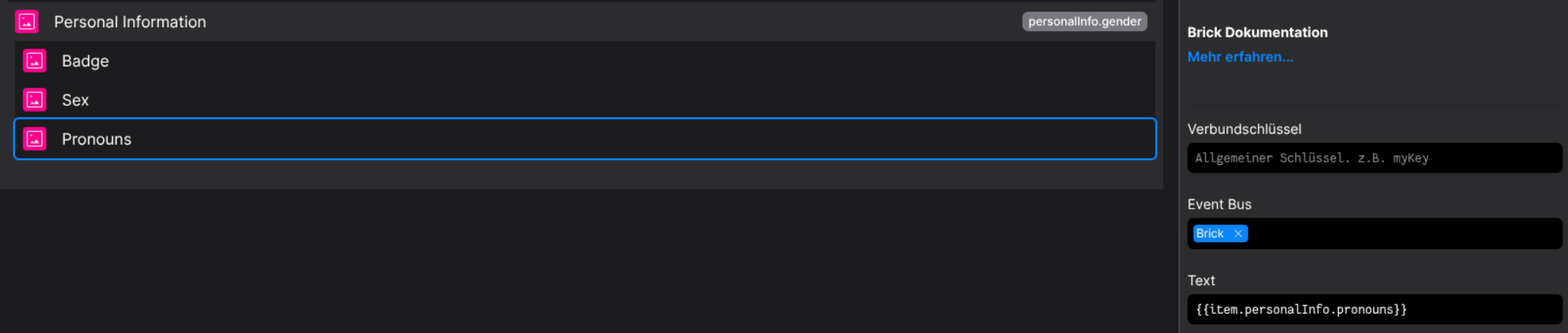
Define the wanted badges in the Badge-Column brick
This badge will be displayed as configured without any scripting/interpolation logic implemented
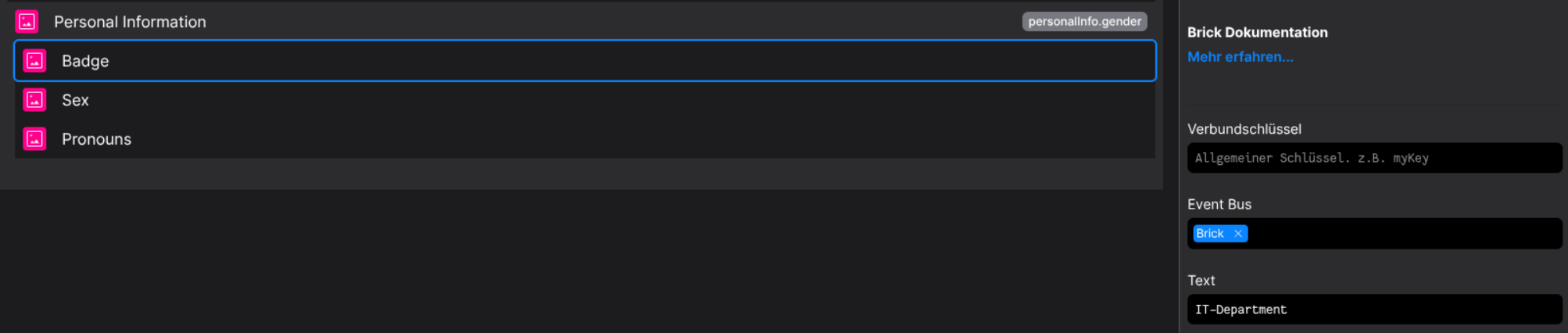
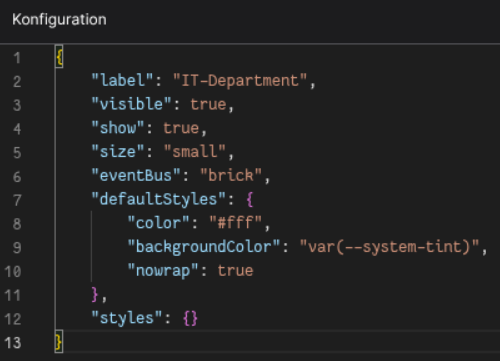
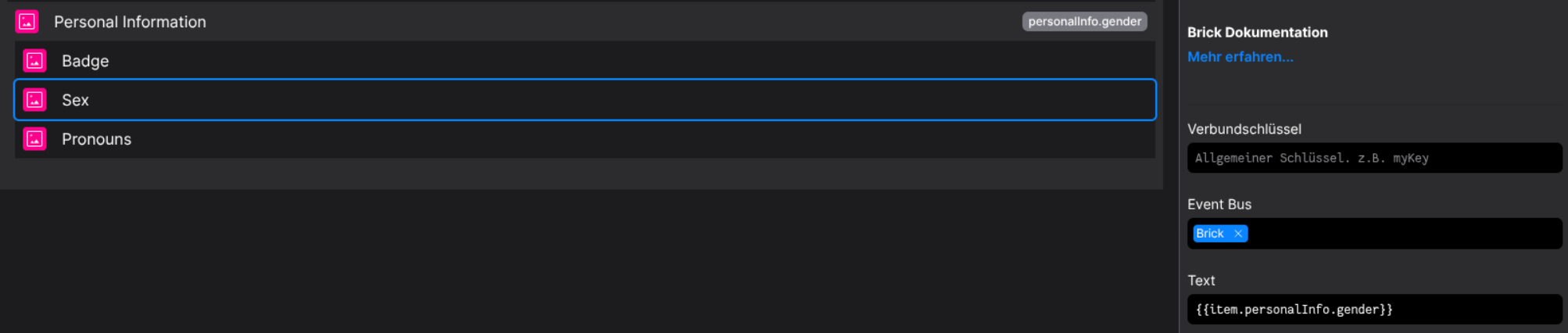
This badge will use the scripted conditional background color, based on the conditional above
Also it will interpolate its value from the item.personalInfo.gender Property
This badge will use the scripted conditional background color, based on the conditional above
Also it will interpolate its value from the item.personalInfo.pronouns Property
The result is a conditional based badge output, see Runtime
</details>