
Badge
📘 Developer Guide
With the Badge Brick, you can easily add badges to your Dashboard.
🔁 Example
Designer

Runtime

⚙️ Configuration Properties
| Key | Label | Description | Default Value |
|---|---|---|---|
label |
The Label of the badge | This string will be displayed in the badgestring |
Badge |
id |
ID of the Badge | string UUID |
Random UUID |
size * |
The size of the Badge | Defines the size of the badge You can also specify a string to define your own size and corresponding styles, see below xsmall | small | medium | large | string |
medium |
state * |
The size of the Badge | Defines the state of the badge You can also specify a string to define your own state and corresponding styles, see below xsmall | small | medium | large | string |
medium |
show |
Toggles the visibility of the badge | Either accepts true or falseboolean |
true |
🛠️ Usage
Designer
(Use the build in configuration Inputs in the right Side-Nav)
TBD
Runtime
(Edit the whole configuration of the Badge to your liking)
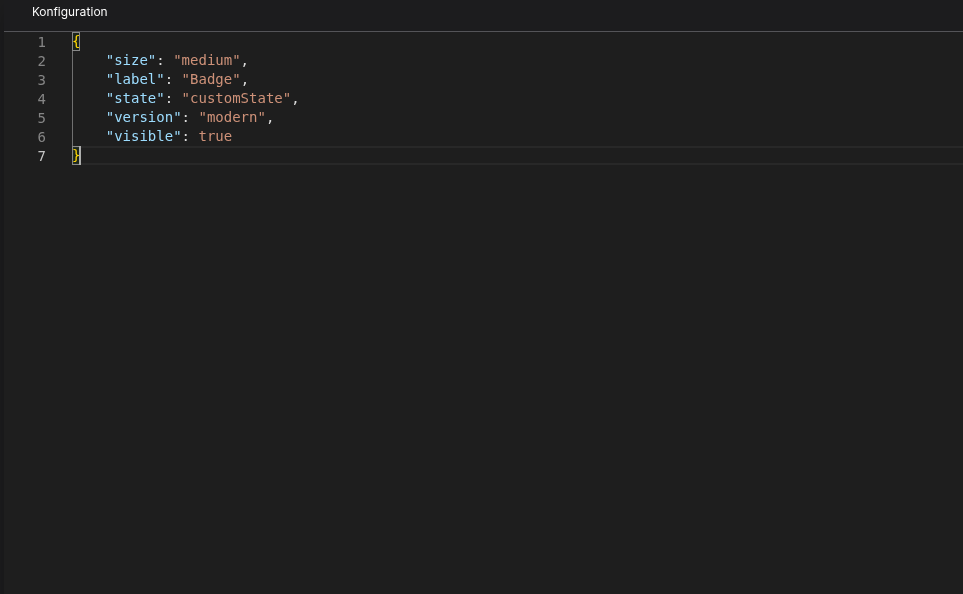
⌨️ Programmatical Data
How to style custom States/Styles
[state="customState"] {
    --fyz-sb-button-padding-tb: 32px;
    --fyz-sb-button-padding-lr: 32px;
    --fyz-sb-button-radius: 0;

    background-color: green;
    font-family: 'Times New Roman', Times, serif;
    font-size: 24px !important;
}
How to update the badge via scripting
// 💱 Modify and merge the config to change to the desired button/behavior
fyzBrick.cRef.mergeConfig({ state: "customState", label: "New Badge Label" })
No comments to display
No comments to display