
Map
📘 Developer Guide
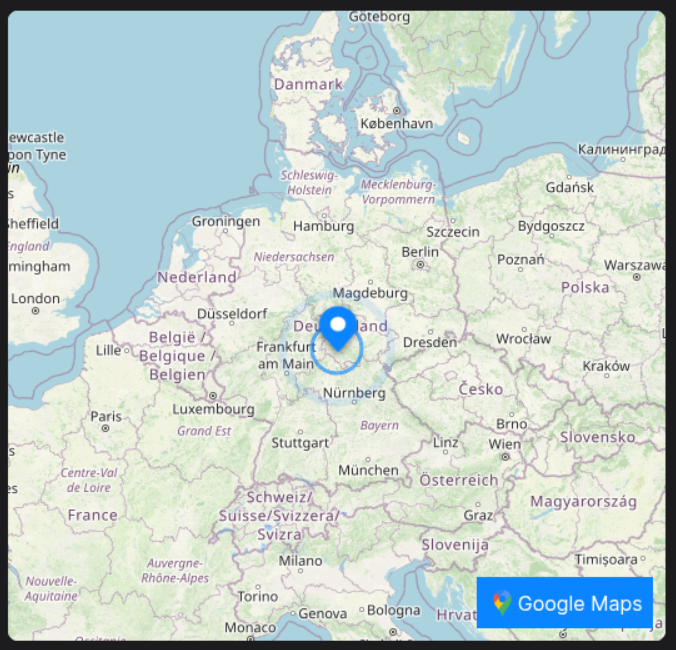
With the Map Brick, you are able to display a Map with specific coordinates on your Dashboard.
Also supports Google Maps and what3words.
🔁 Example
Designer

Runtime
⚙️ Configuration Properties
| Key | Label | Description | Default Value |
|---|---|---|---|
latitude * |
A number, containing latitude information | Accepts a number, more specifically a latitude like e.g. 51.165691number |
- |
longitude * |
A number, containing longitude information | Accepts a number, more specifically a longitude like e.g. 10.451526number |
- |
zoomLevel |
The Zoom-Level of the Map | Accepts a number between 0-10, which will be the initial Zoom-Levelnumber |
5 |
googleMapsOn |
Displays a Google-Maps Button linked to the Coordinates | Accepts either true or falseboolean |
false |
w3wOn |
Displays a W3W Button linked to the Coordinates | Accepts either true or falseNeeds a valid w3wApiKey to be displayedboolean |
false |
w3wApiKey |
A API-Key for the W3W-API | Accepts a string, more specifically an API-Key e.g. B2M4CI7Zstring |
- |
popupText |
Attaches a Popup-Text above the Marker | Accepts any string, which will be displayed in the popupstring |
- |
🛠️ Usage
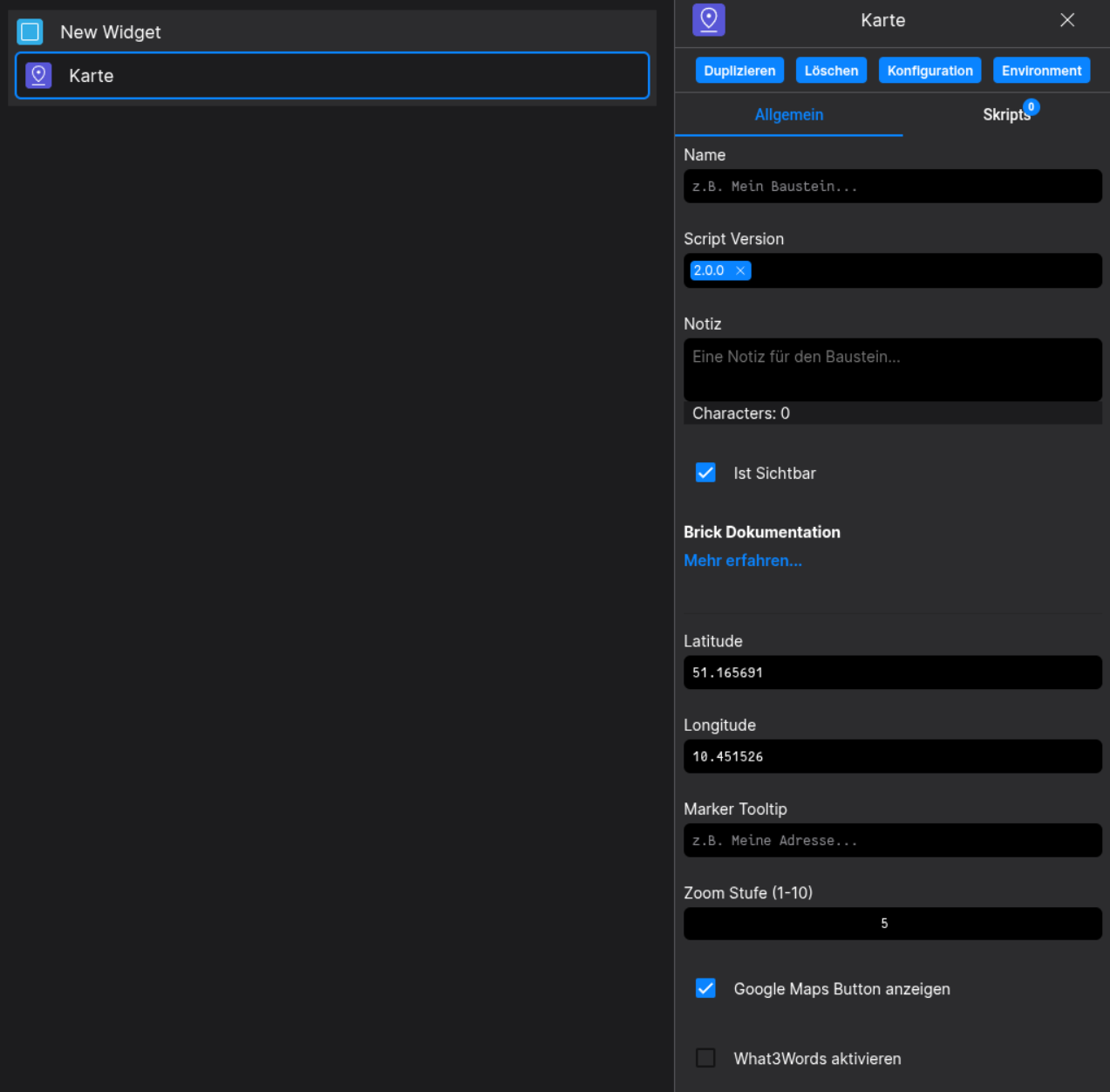
Designer
(Use the build in configuration Inputs in the right Side-Nav)
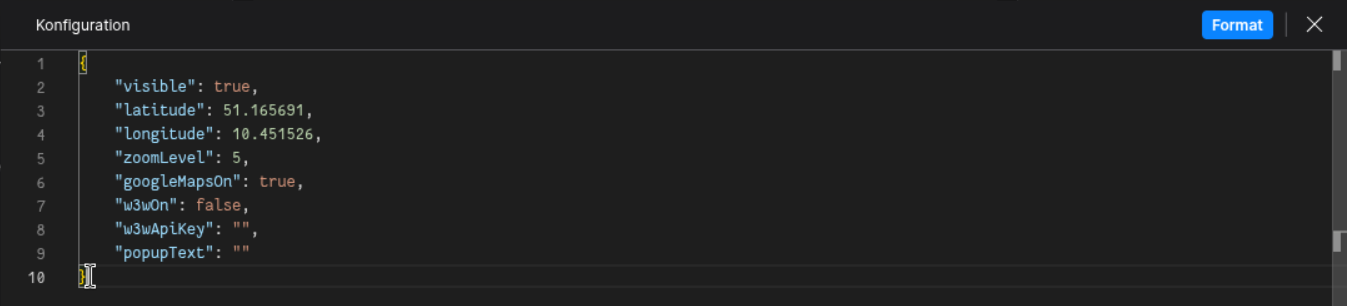
Config
(Edit the whole configuration of the Tab-Toggle to your liking)
No comments to display
No comments to display