
Badge
📘 Developer Guide
With the Badge Brick, you can easily add badges to your Dashboard.
🔁 Example
Designer

Runtime

⚙️ Configuration Properties
| Key | Label | Description | Default Value |
|---|---|---|---|
label |
The Label of the badge | This string will be displayed in the badgestring |
Badge |
id |
ID of the Badge | string UUID |
Random UUID |
size * |
The size of the Badge | Defines the size of the badgexsmall | small | medium | large |
medium |
show |
Toggles the visibility of the badge | Either accepts true or falseboolean |
true |
styles |
The style of the badge | Accepts CSSStyleDeclaration as ObjectPartial<CSSStyleDelcaration> |
- |
defaultStyles.color |
Defines the text color of the badge | Accepts either string like rgb(255,0,0) or a FyzSbBadgeColorstring | FyzSbBadgeColor |
'white' |
defaultStyles.backgroundColor |
Defines the background color of the badge | Accepts either string like rgb(255,0,0) or a FyzSbBadgeColorstring | FyzSbBadgeColor |
blue |
defaultStyles.nowrap |
Defines if the text is oneliner | If set, the label will not break into new line Accepts either true or falseboolean |
- |
🎨 Available Colors
enum FyzSbBadgeColor  {
	TINT = '#007AFF',
	LABEL = '#404040',
	RED = '#FF3B30',
	ORANGE = '#FF9500',
	YELLOW = '#FFCC00',
	GREEN = '#34C759',
	MINT = '#00C7BE',
	TEAL = '#30B0BE',
	CYAN = '#32ADE6',
	BLUE = '#007AFF',
	INDIGO = '#5856D6',
	PURPLE = '#AF52DE',
	BROWN = '#A2845E',
	GRAY = '#8E8E93',
	FYZ_DEFAULT = '#FF4842',
	FYZ_ORANGE = '#FE8900',
	FYZ_PINK = '#FF2D55',
	BLACK = '#000',
	WHITE = '#ffff',
	TRANSPARENT = 'transparent',
}
🛠️ Usage
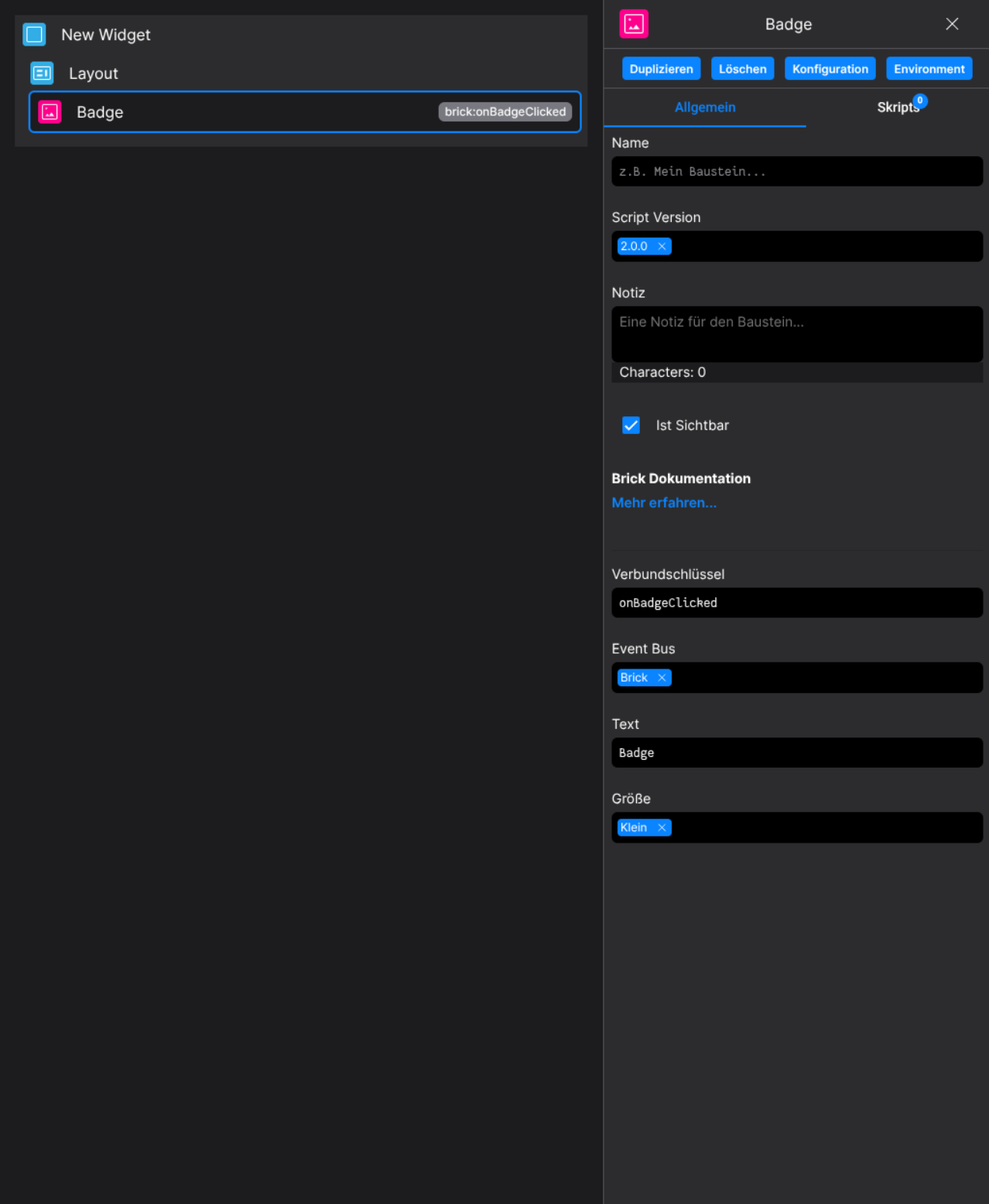
Designer
(Use the build in configuration Inputs in the right Side-Nav)
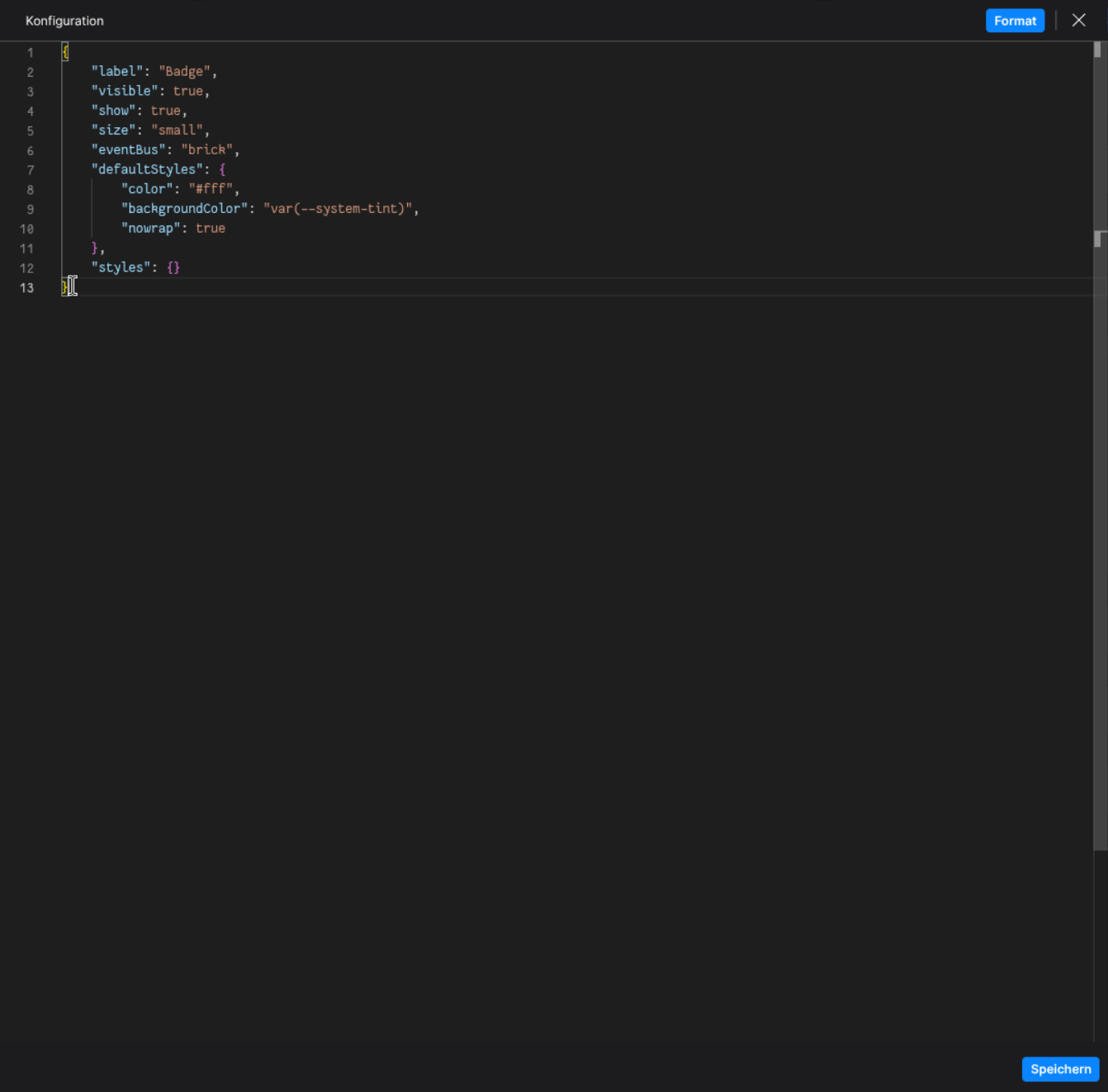
Runtime
(Edit the whole configuration of the Badge to your liking)
2. Programmatical Data
2.1 How to update the badge via scripting
// ⚙️ Retrieve the current configuration of the Brick
const config = fyzBrick.cRef.getConfig();

// 💱 Modify and merge the config to change to the desired button/behavior
fyzBrick.cRef.mergeConfig({
    ...config,
    size: 'large',
    label: 'Changed via scripting',
    defaultStyles: {
        color: 'red',
        backgroundColor: 'white'
    }
})