
Format-Date
📘 Developer Guide
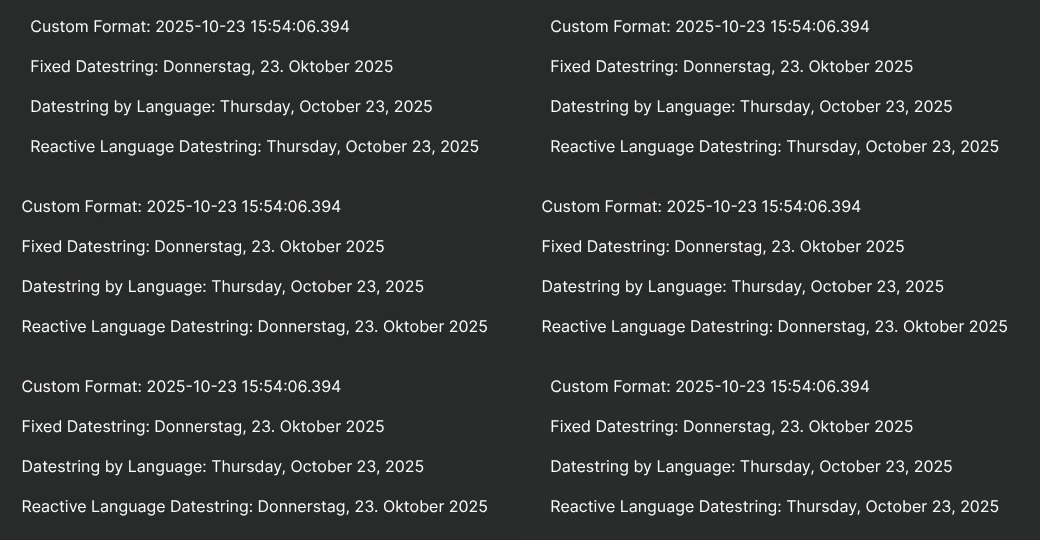
With the Flyze Format-Date Service, you are able to easily format Date-Objects into valid locale Date-Strings.
🔁 Example
Runtime
🏗️ Methods
| Method | Description | Parameters | Returns |
|---|---|---|---|
getDateTimeByFormat |
Gets a formatted date time | date: Date, format: DateFormat, locale?: en | de, timeZone?: TimeZoneOffset |
Returns an formatted Date-Time String.locale defaults to active language if no locale is providedstring |
getDateTimeByCurrentLanguage |
Gets a formatted date time by current active language | date: Date, format: DateFormat, timeZone?: TimeZoneOffset |
Returns an formatted Date-Time String in current active language.string |
getDateTimeByCurrentLanguage$ |
Gets a formatted date time by current active language as RXJS-Stream (Observable) |
date: Date, format: DateFormat, timeZone?: TimeZoneOffset |
Returns an formatted Date-Time String in current active language as Observable.Observable<string> |
⌨️ Programmatical Data
How to set a custom theme via scripting
// ⚙️ Define the theme configuration
fyzPlatform.theming.setThemeConfig('focus', {
    dark: {
        system: { "system-tint": "#0d9488", "system-tertiary-system-background": "#111827" },
        platform: { 'platform-shell-body': "#1e293b" },
    }
});

// 💱 Set the theme
fyzPlatform.theming.theme ='focus';
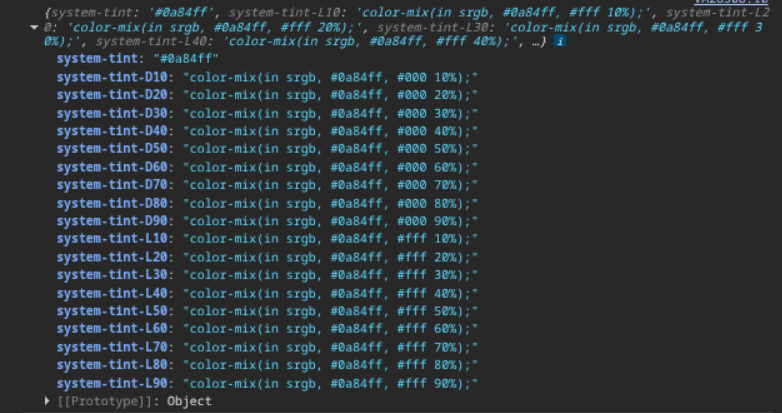
How to generate gradiations of a specified theme color
// ⚙️ Define the theme configuration
const tintPalette = fyzPlatform.theming.generateGradiationPalette('flyze', 'dark.system.system-tint');
// 🧑💻 Do something with it
console.log(tintPalette);
Returns a key value object:
Get a specific gradiation of a color
// ⚙️ Get a gradiation of a theme color
const tint42 = fyzPlatform.theming.getThemeValueGradiation('flyze', 'dark.system.system-tint', { gradiationPercentage: 42, gradiationType: 'lighter'})
// 🧑💻 Do something with it (e.g. update a HTML-Brick)
const brick = fyzBrick.cRef.getConfig();
brick.code = `<div style="color:${tint42}">I am a gradiation of tint 🤓</div>`
fyzBrick.cRef.mergeConfig(brick);
